
Already using your TikTok account with another platform and want to move it to Mampu AI? Migrating is two parts: first disconnect the previous platform inside the TikTok app, then connect the account to Mampu AI. Direct messages only flow to one platform at a time, so your account moves over once you finish.
Not migrating? If your account was never connected to another platform, see Connecting a TikTok inbox.
Before you start
- Your TikTok account must be a Business Account. You can switch in the TikTok app under Settings → Account → Switch to Business Account — it’s free.
- Have the TikTok app on your phone, logged in to the account you want to move.
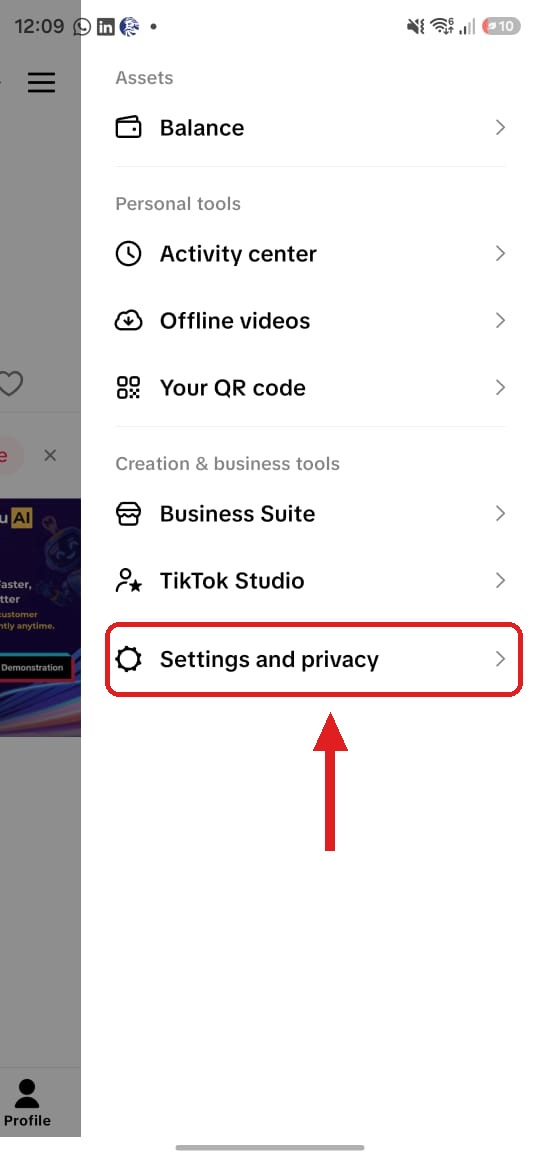
1. Open Settings and privacy in the TikTok app
Open TikTok and go to your Profile, then tap the menu in the top corner and choose Settings and privacy.
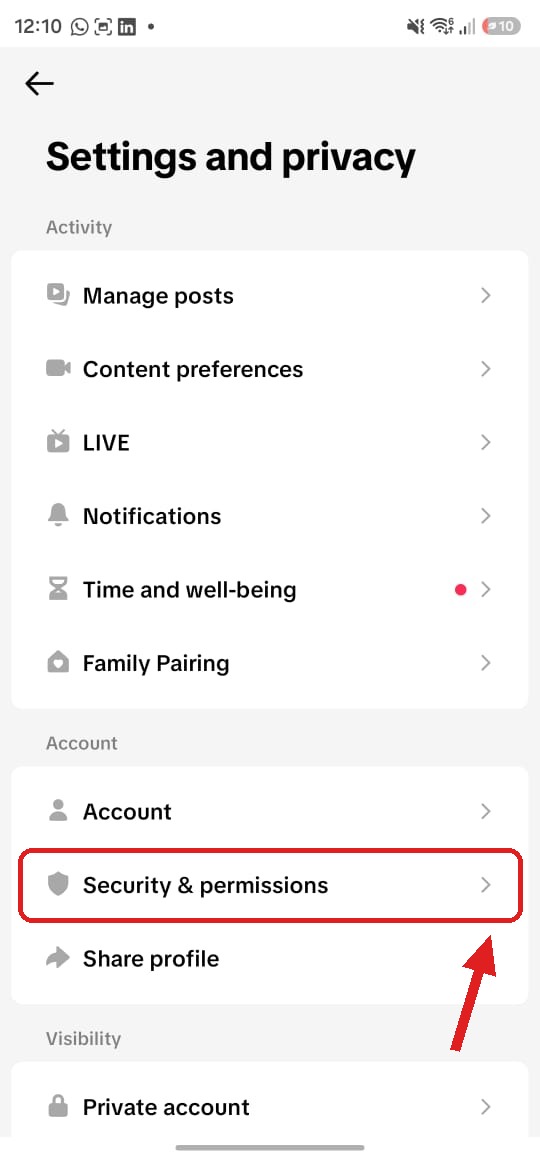
2. Open Security & permissions
Under Account, tap Security & permissions.
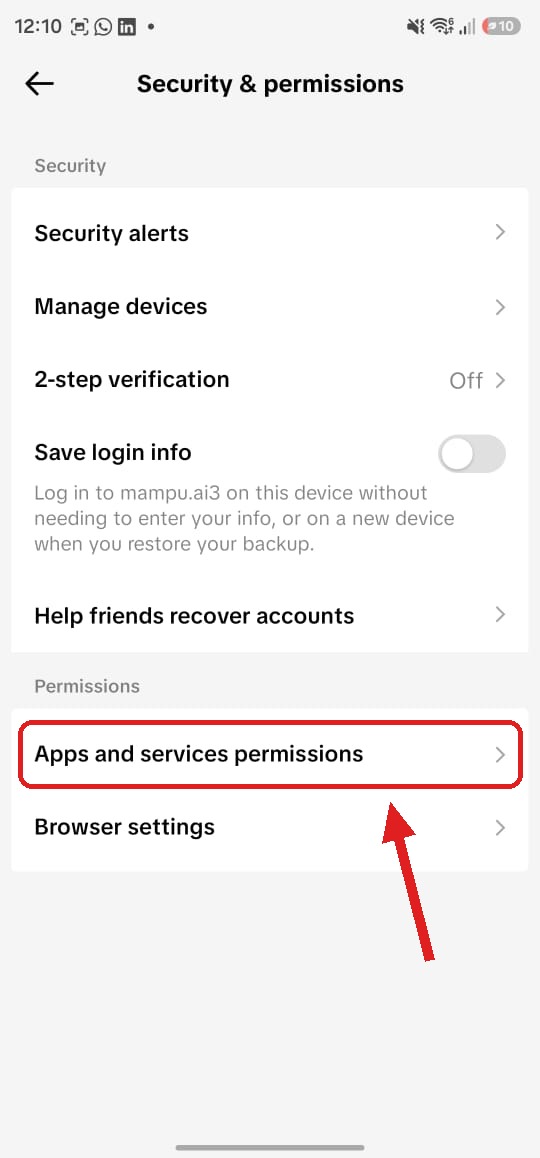
3. Open Apps and services permissions
Under Permissions, tap Apps and services permissions.
4. Remove the previous platform
Every app connected to your TikTok account is listed here. Tap the platform you are moving away from, then tap Remove access.
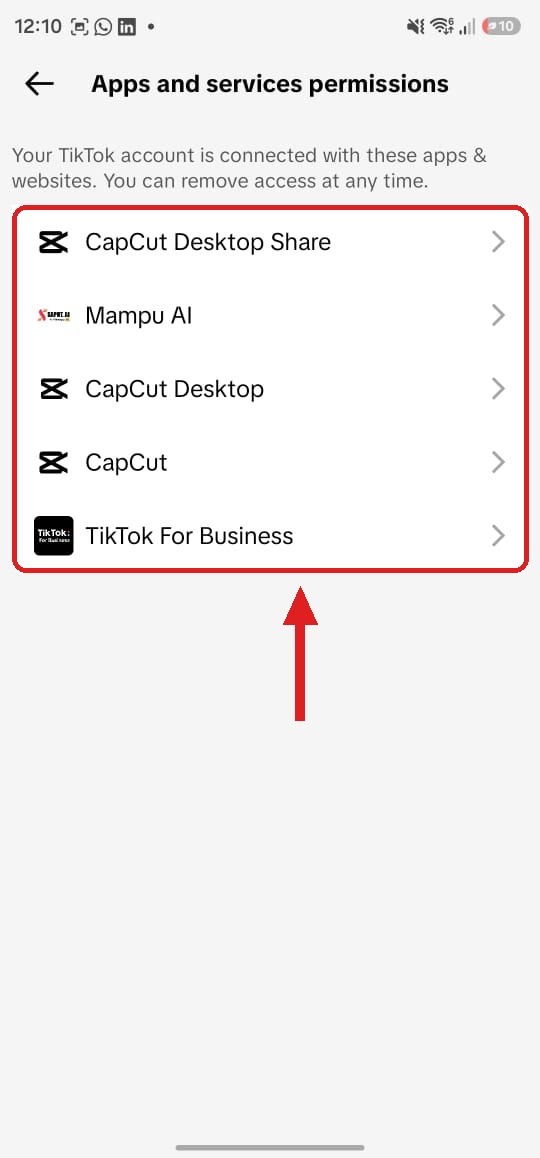
If Mampu AI already appears in the list, leave it connected — only remove the platform you are leaving.
5. Connect TikTok to Mampu AI
With the previous platform disconnected, follow Connecting a TikTok inbox to connect the account. Sign in with the same TikTok account you just disconnected, and approve all the requested permissions.
You’re done
Your TikTok account now runs on Mampu AI. Direct messages and video comments arrive as conversations in your TikTok inbox, and your AI agent can reply. Manage the inbox anytime under Settings → Inboxes.