
Flow agent replies can run on DeepSeek. To use it, create your own DeepSeek API key in the DeepSeek Platform, then add it to Mampu AI. The whole process takes about 10 minutes.
Keep your API key private. Treat it like a password — anyone with your key can spend your DeepSeek balance. The full key is shown only once, so save it somewhere safe such as a password manager. In the screenshots below the key value has been hidden for security.
Before you start
- A computer with an internet browser.
- An email address you can access — DeepSeek sends a verification code to it.
Quick summary
- Open the DeepSeek Platform and sign up (or log in).
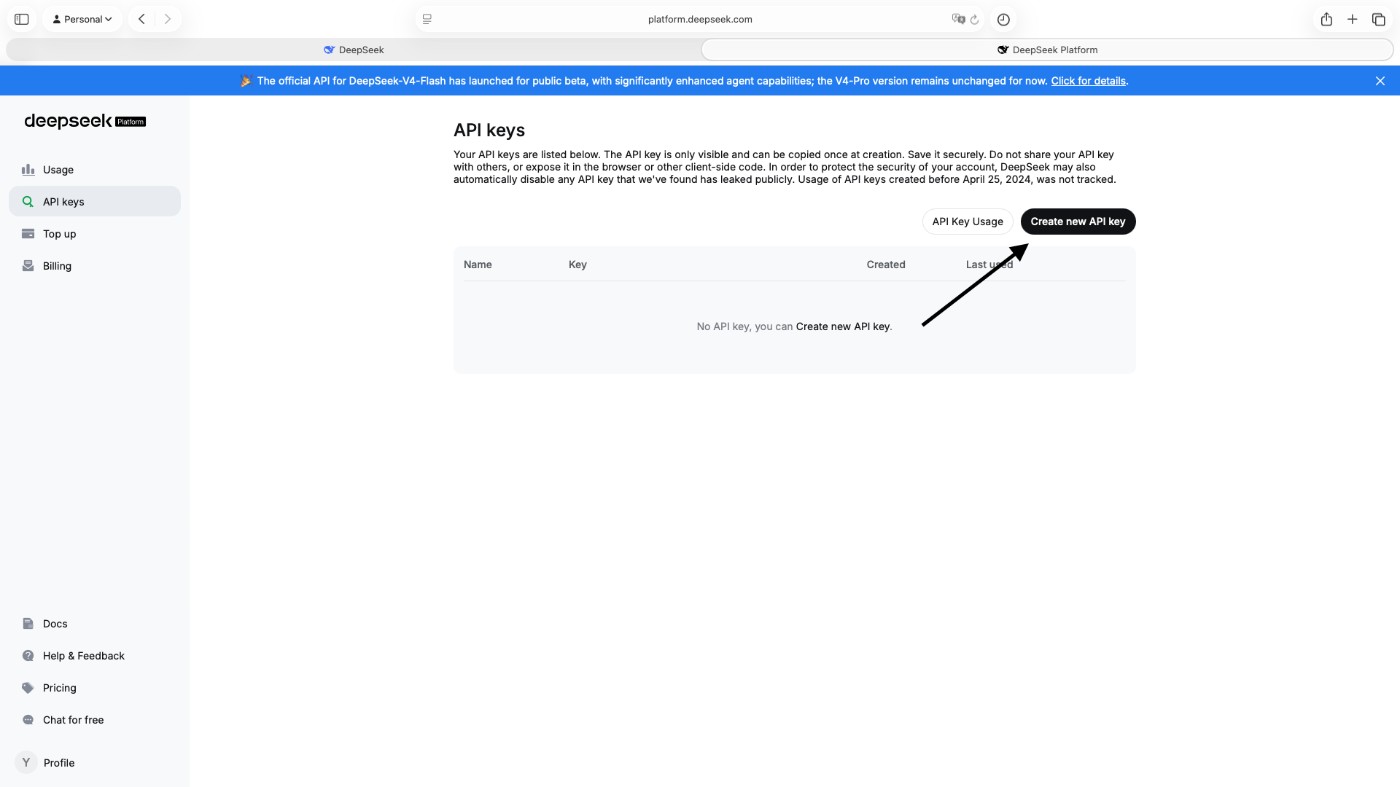
- Go to API keys in the left sidebar.
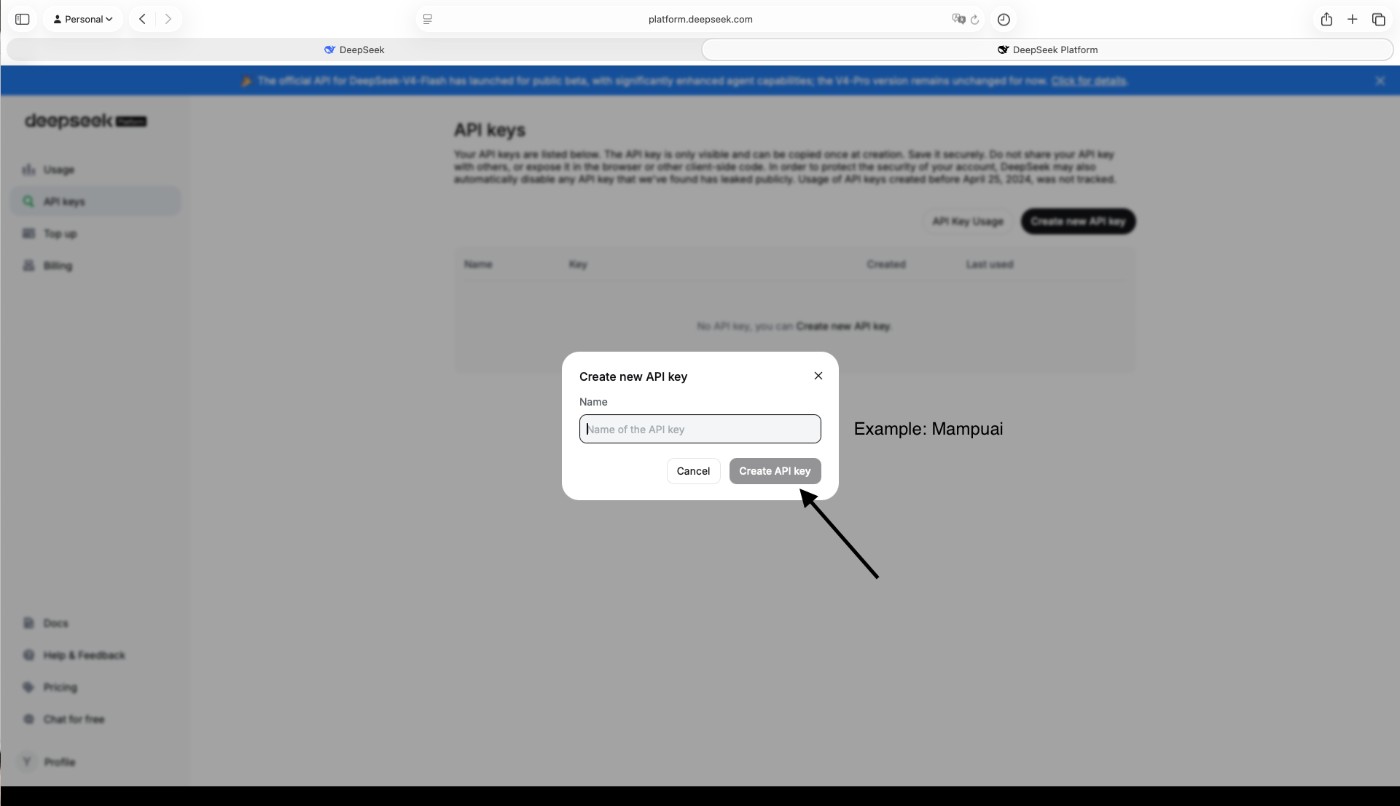
- Click Create new API key, give it a name, and click Create API key.
- Copy and save the key immediately — it is shown only once.
- Add credit under Top up so the key can be used.
- Paste the key into the DeepSeek card in Settings > Integrations > AI Providers.
1. Open the DeepSeek Platform
Go to platform.deepseek.com/sign_in. If you do not have a DeepSeek account yet, click Sign up. If you already have one, skip to step 3 and log in.
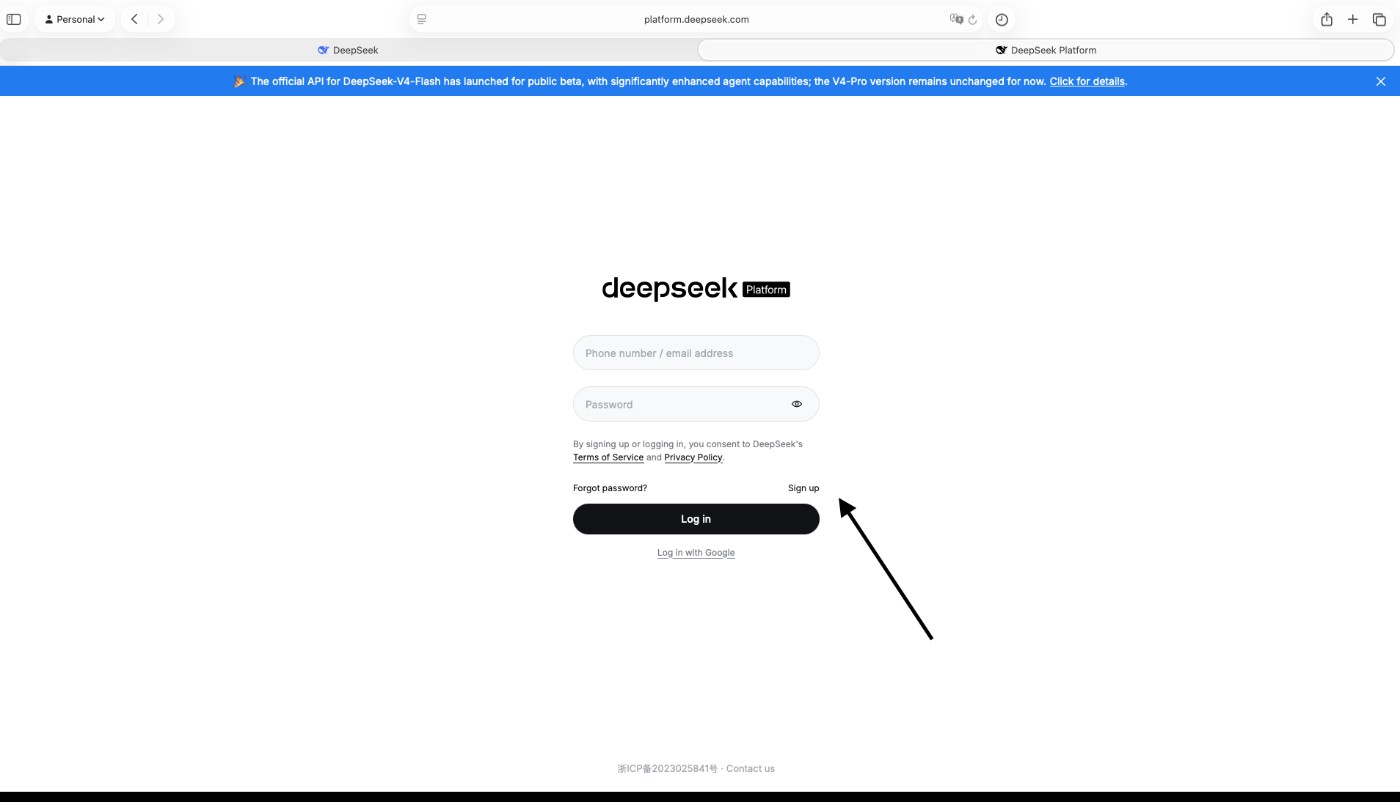
2. Create your account
Fill in the registration form:
- Enter your email address.
- Create a password, then type the same password again in Confirm password.
- Click Send code. DeepSeek emails you a verification code — check your inbox and spam folder, then type the code into the Code box.
- Click Sign up to finish.
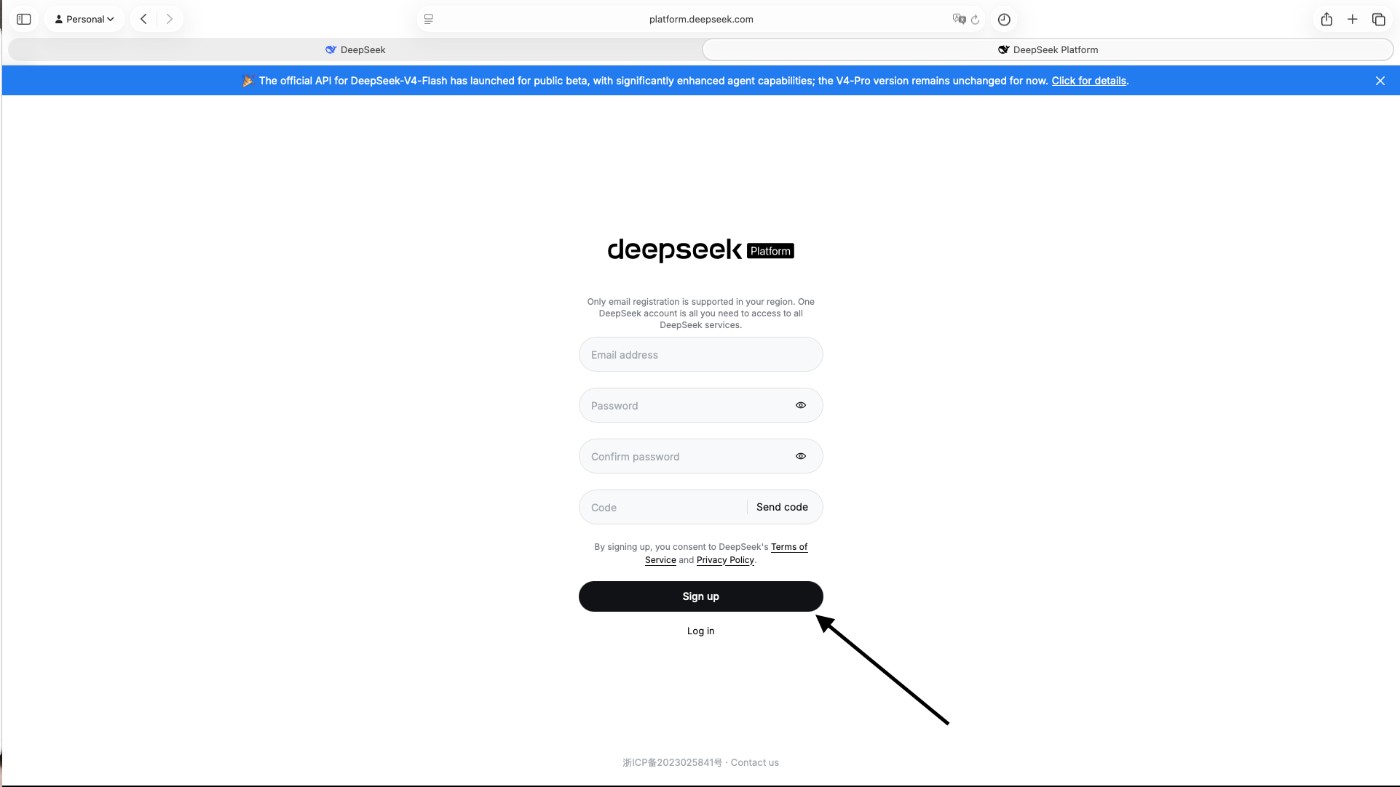
3. Log in
Enter your email address and password, then click Log in. You can also use Log in with Google if you prefer.
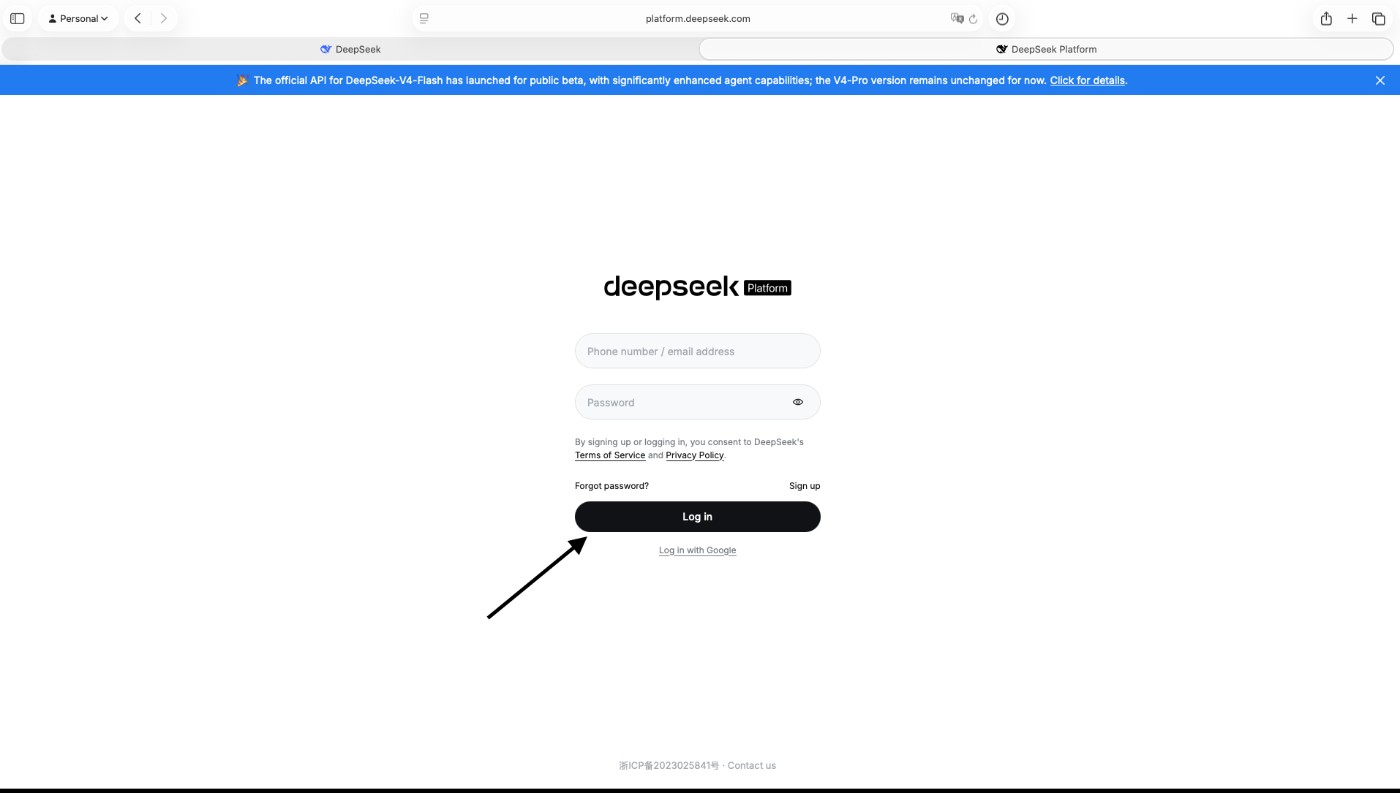
4. Open the API keys page
After logging in you land on the Usage page. In the left sidebar, click API keys.
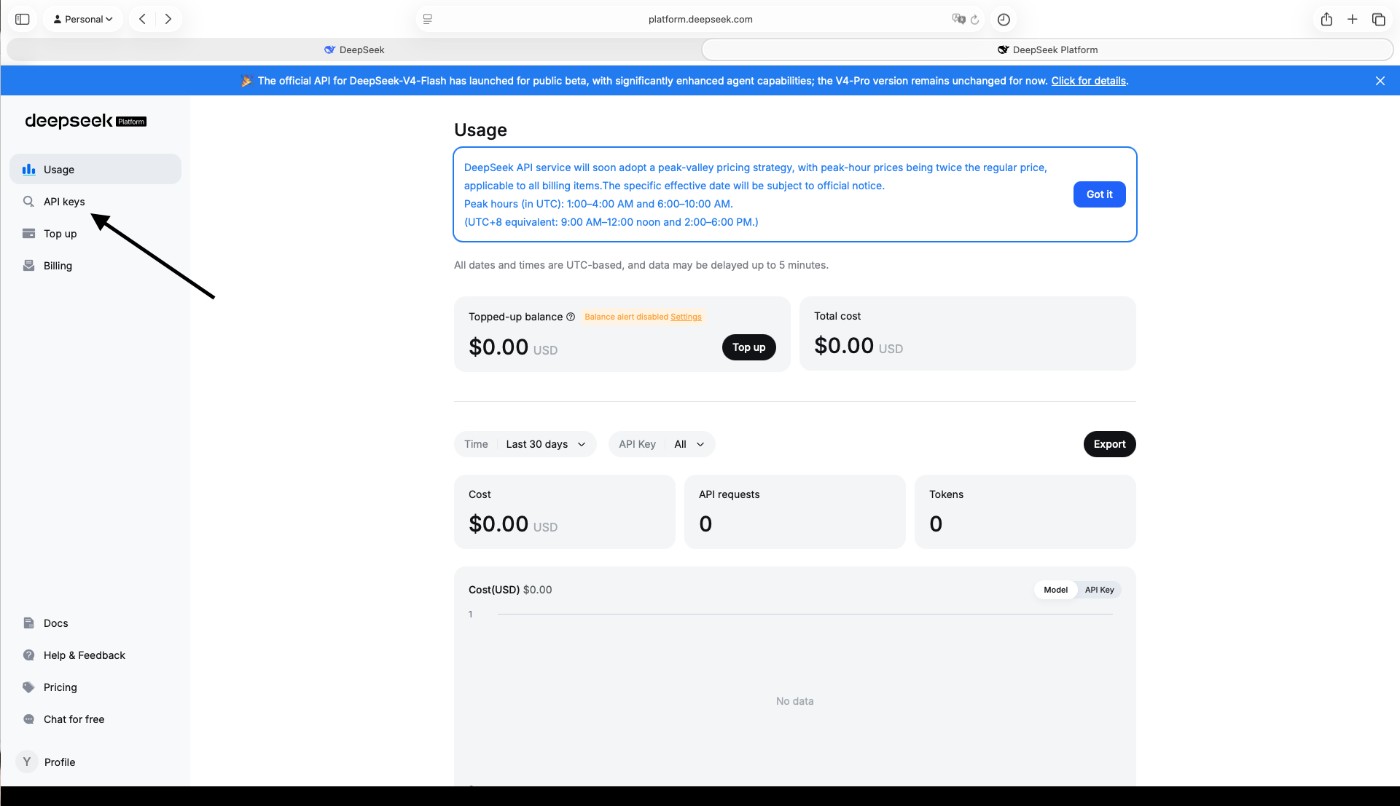
5. Create a new key
Click Create new API key on the right of the page.
6. Name your key
A window asks for a name. Enter a name you will recognise later, such as your business name, then click Create API key.
7. Copy and save your key
The full key is shown only once. Click Copy and paste it somewhere safe straight away, then click Done. The key starts with sk- followed by a long string of letters and numbers.
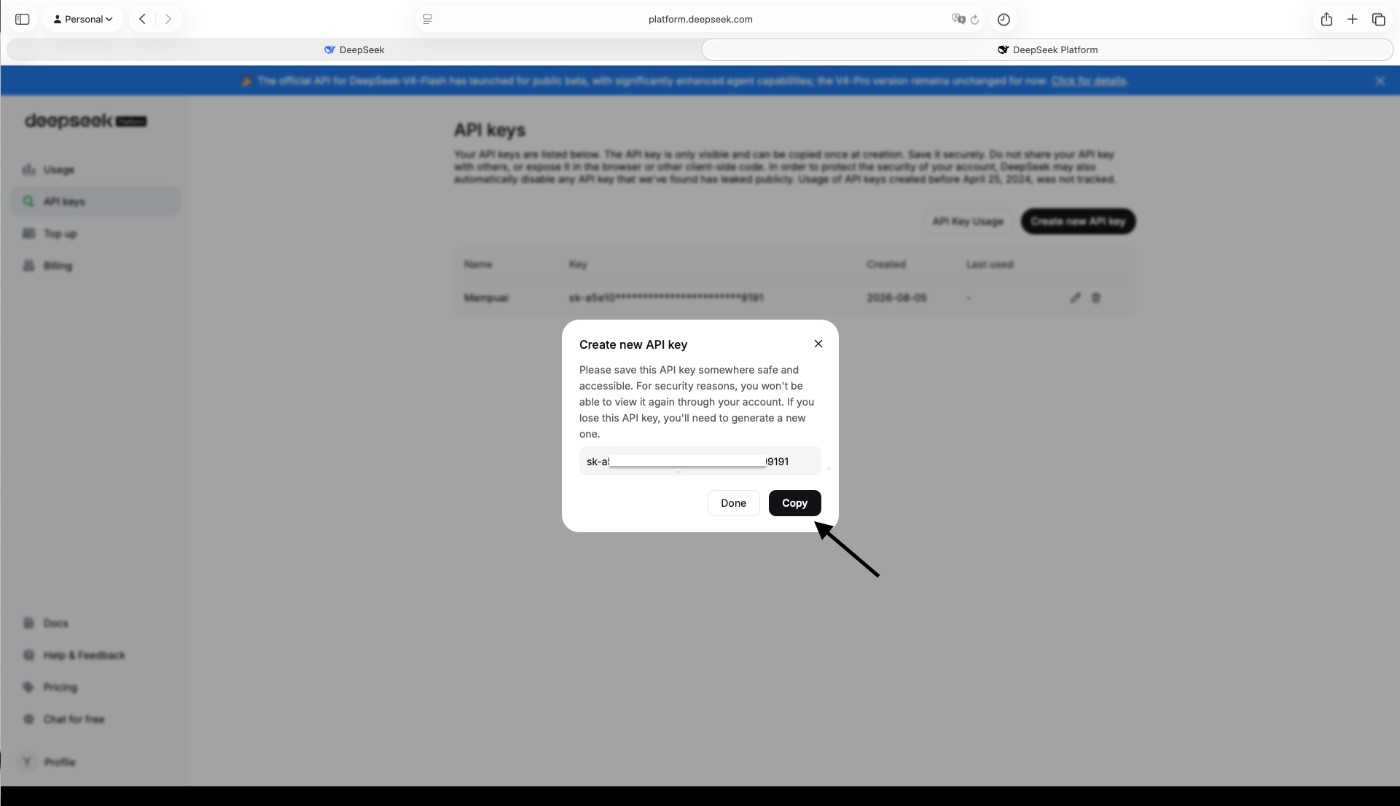
If you lose the key, DeepSeek cannot show it again — delete it from the list and create a new one by repeating steps 5 to 7.
8. Confirm the key was created
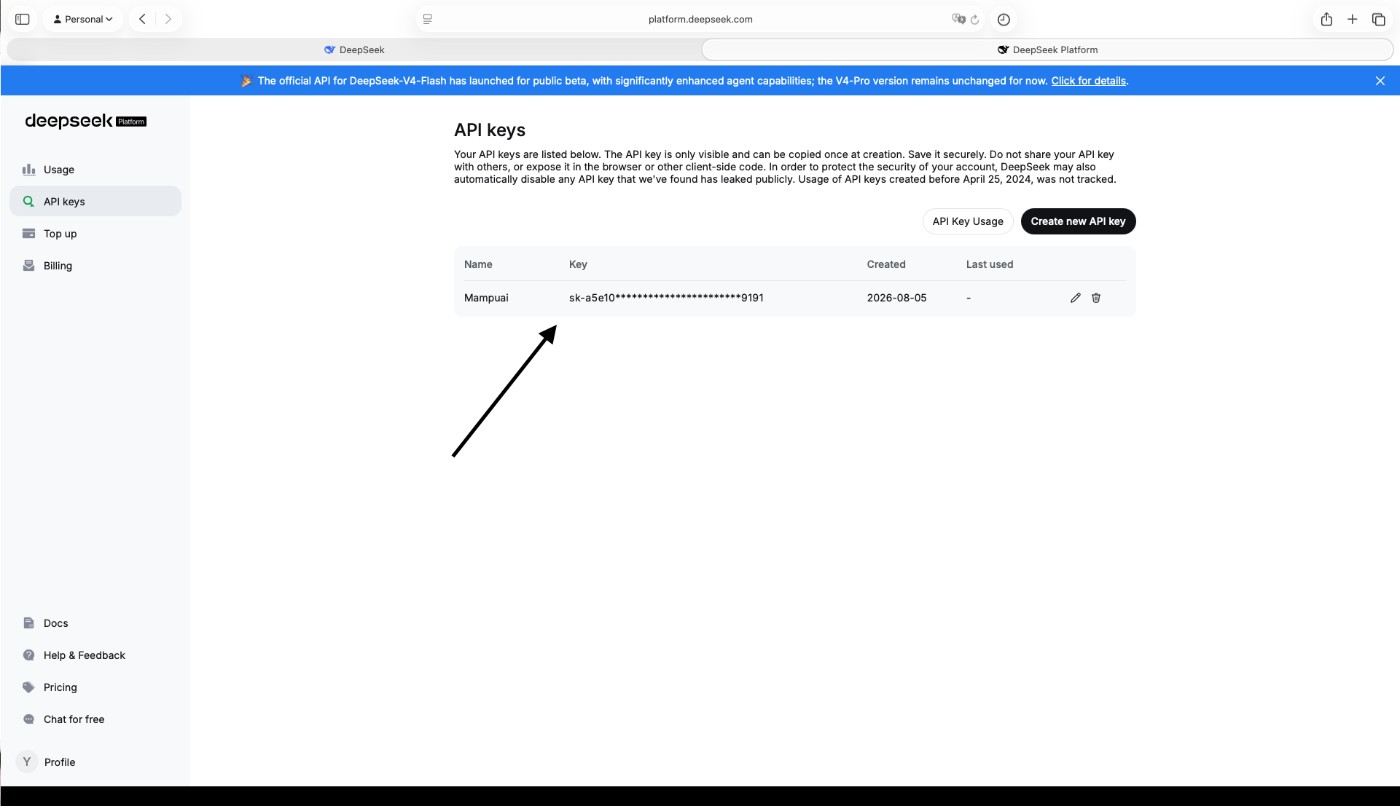
Your new key now appears on the API keys page with part of it hidden by asterisks. That is normal — only a masked version is shown here.
9. Add credit to your DeepSeek account
A new DeepSeek account starts with a balance of $0.00, and the API only works when there is credit in the account. Click Top up in the left sidebar and follow the payment steps. A small amount is enough to start.
Add the key to Mampu AI
1. In Mampu AI, go to Settings > Integrations > AI Providers. 2. Find the DeepSeek card under Flow agent replies. 3. Paste the copied key and connect — the card shows Connected when the key is accepted.
Flow agents reply with the provider that has a key connected. If both Anthropic and DeepSeek are connected, DeepSeek is used; remove the DeepSeek key to switch back to Claude.
Troubleshooting
- If replies stop working, check that your DeepSeek account still has credit.
- If the key is rejected, confirm you pasted the full value, starting with
sk-. - If your key is exposed or shared by mistake, delete it on the DeepSeek API keys page, create a new one, and update it in Mampu AI.