
My Inbox is your personal queue, separate from the shared team view. Each entry says why it is there:
| Entry | When it appears |
|---|---|
| Assigned to you | A conversation is assigned to you |
| Mentioned | A teammate mentions you in a private note |
| New message | A customer writes in a conversation you own or take part in |
| Risky file or link | A customer sends an app or program file, or a link to one, in a conversation you own; admins get it for every conversation. See Warnings when a customer sends a risky file or link |
Click an entry to open the conversation beside the list and reply.
Opening My Inbox
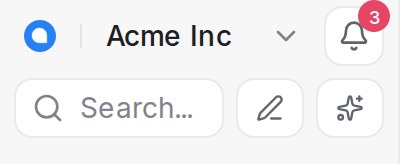
Click the bell beside your workspace name at the top of the menu. The red number on it counts the entries you have not read yet. When the menu is collapsed, the bell sits in the column of buttons under the pencil.
Working through the list
- Unread entries are highlighted; opening one marks it read. Hover an entry for Mark as read or Mark as unread.
- Snooze notification hides an entry until later; it then reads Snoozed until and the time.
- Delete notification removes the entry. The conversation is untouched.
The menus at the top
- ⋯: Mark all as read, Delete all, Delete all read.
- Display: sort by Newest, Oldest or Priority, and show or hide Snoozed and Read entries and conversation Labels.
Use My Inbox so nothing with your name on it is missed, and Conversations for the whole team’s queue. Email and push alerts for the same events are set in your profile settings.