
A Condition step can choose its branch by the customer’s place. You tick the states, districts or towns each branch covers, and the bot works out from the chat where the job is. It reads place names and postcodes against a list of every state, district and town in Malaysia and Singapore, so “Skudai”, “cheras balakong” or “81300” all land on the right branch. When it can’t tell, it asks the customer once.
Turn on Route by area
- In the flow designer, open the Condition step that asks where the customer is, for example “Which area are you in?”.
- Tick Route by area. The AI description box hides, because the place list now decides the branch.
- Tick the places for each branch (next section), choose If unsure, and click Save Changes.
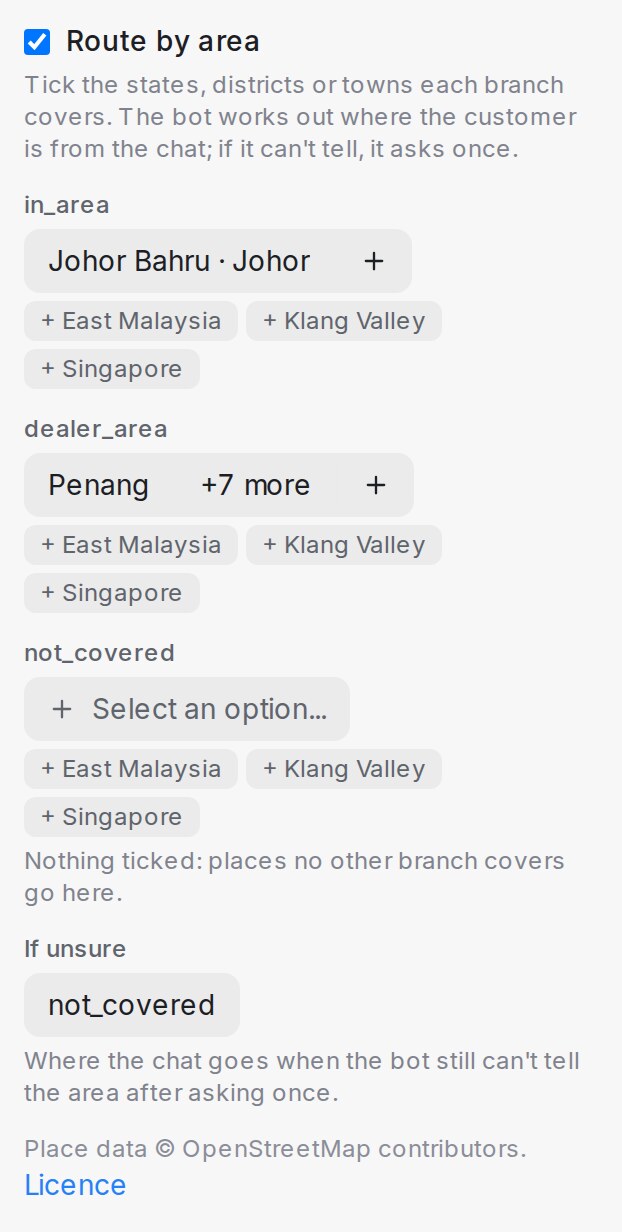
Leave one branch with nothing ticked to catch everywhere else: its row says Nothing ticked: places no other branch covers go here. If unsure is where the chat goes when the bot still can’t tell the area after asking once.
You can also describe it to the flow designer in words, for example “JB and Kulai pay RM990, KL and Selangor go to our dealer, anywhere else we don’t cover”, and it sets up the ticks for you.
Tick the places each branch covers
Click Select an option… under a branch and type a place. Results are grouped under States, Districts and Towns.
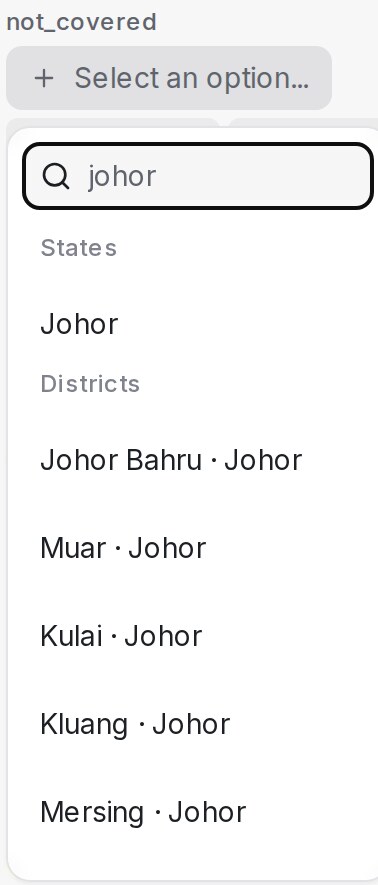
Under each branch, three shortcuts add a group in one click:
| Shortcut | Adds |
|---|---|
| + East Malaysia | Sabah, Sarawak and Labuan |
| + Klang Valley | Kuala Lumpur, Putrajaya, and the Petaling, Klang, Hulu Langat, Gombak and Sepang districts of Selangor |
| + Singapore | All of Singapore, as one area |
When a town and its state are ticked on different branches, the town wins. For example, tick Johor on one branch and Johor Bahru on another, and a customer in Skudai goes to the Johor Bahru branch.
What the customer sees
The bot looks for the place where the job happens, such as the installation or delivery address, which is not always where the customer lives. When the customer’s place is in the list, the chat moves on with no extra question. A place on a border, such as Cheras, which is partly in Kuala Lumpur and partly in Selangor, also moves on when both sides lead to the same branch.
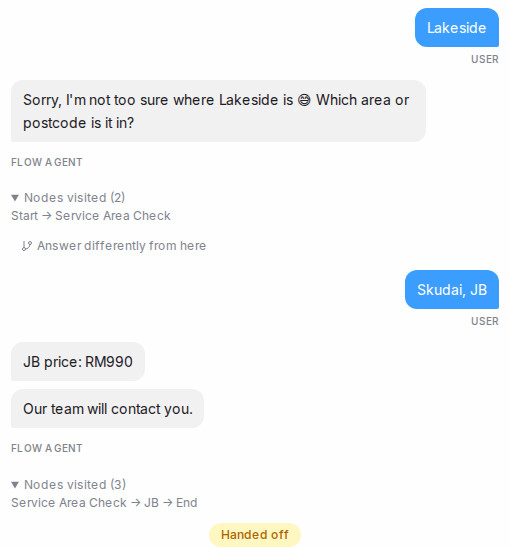
When the bot can’t place a name, such as a housing estate it doesn’t know, it says so and asks which area or postcode it is in, worded in your agent’s tone. If the answer still doesn’t place it, the chat goes down If unsure. A name a customer had to explain is kept for our team to review, so it can be recognised next time.
When the bot places the customer, it fills the contact’s City and Country if they are empty. It never overwrites a value someone on your team typed.
Where the place data comes from
Place data © OpenStreetMap contributors, available under the Open Database Licence at openstreetmap.org/copyright. Malaysian postcodes come from the open postcode list on data.gov.my.