
Some inboxes exist to send, not to chat: a WhatsApp number that carries your Blasts and reminders, or an API inbox that one of your systems posts through. Two switches on the inbox’s settings keep such an inbox out of the way. Hide from All Conversations keeps its conversations out of the shared views. Outbound only stops it taking in messages from customers at all.
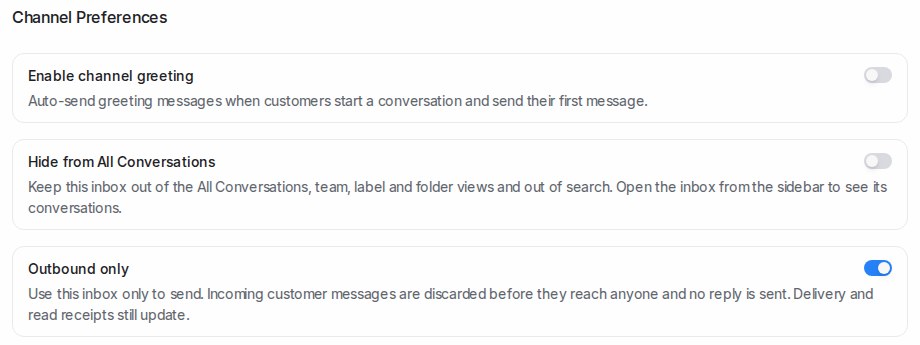
Both switches live in Settings → Inboxes, on the inbox’s Settings tab under Channel Preferences. They are off for every inbox until you turn them on, and each works on its own.
Hide from All Conversations
Turn this on and the inbox’s conversations leave every view that mixes inboxes together:
- the Mine, Unassigned and All tabs of All Conversations, and their counts
- the Unattended and Mentions views
- team and label views
- folders, unless the folder filters on that inbox
- search results for conversations and messages
The inbox itself stays in the sidebar under Channels. Open it there and you see everything in it, exactly as before. Contacts still show their conversations on the contact page, notifications still arrive, and reports do not change.
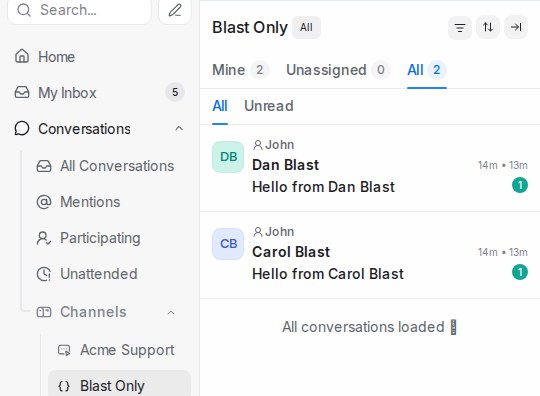
Use this for a channel nobody needs to watch day to day. If a customer does reply to a hidden inbox, the reply lands in that inbox: open it from Channels to see it, or use the next switch to stop replies coming in at all.
Outbound only
Turn this on and the inbox becomes a one-way channel. Messages customers send to it are discarded before they reach anyone: no conversation opens, nothing is assigned, and no reply goes back to the customer. Everything you send still works. Templates, Blasts, reminders and replies go out as before, and delivery and read ticks still update.
Use this for a number or channel that only ever sends. Turn it off again and replies start landing in the inbox as normal; messages customers sent while it was on are not kept.
Leave this switch off on a Website live-chat inbox. Visitors can only ever write to you through the widget, so an outbound-only widget simply rejects their messages.
Turning the switches on
- Go to Settings → Inboxes and click the inbox.
- On the Settings tab, scroll down to Channel Preferences.
- Turn on Hide from All Conversations, Outbound only, or both.
- Click Update.