Comment Moderation checks every new comment on your Facebook Page and Instagram posts, including replies under other comments. When a comment contains a word on your list, Mampu AI deletes it or hides it straight away, so rude comments don’t sit under your posts. Every removed comment is listed in Reports → Removed Comments, where you can review it, unhide it or delete it.
A removed comment never gets an automatic reply or private message from your comment reply rules.
Before you start
- Only administrators can change these settings.
- Connect your Facebook Page or Instagram account first. See Connecting a Facebook inbox and Connecting an Instagram inbox.
1. Turn moderation on for a page
Go to Settings → Comment Moderation. Under Pages, switch on each Facebook page or Instagram account you want checked. Every page starts switched off.
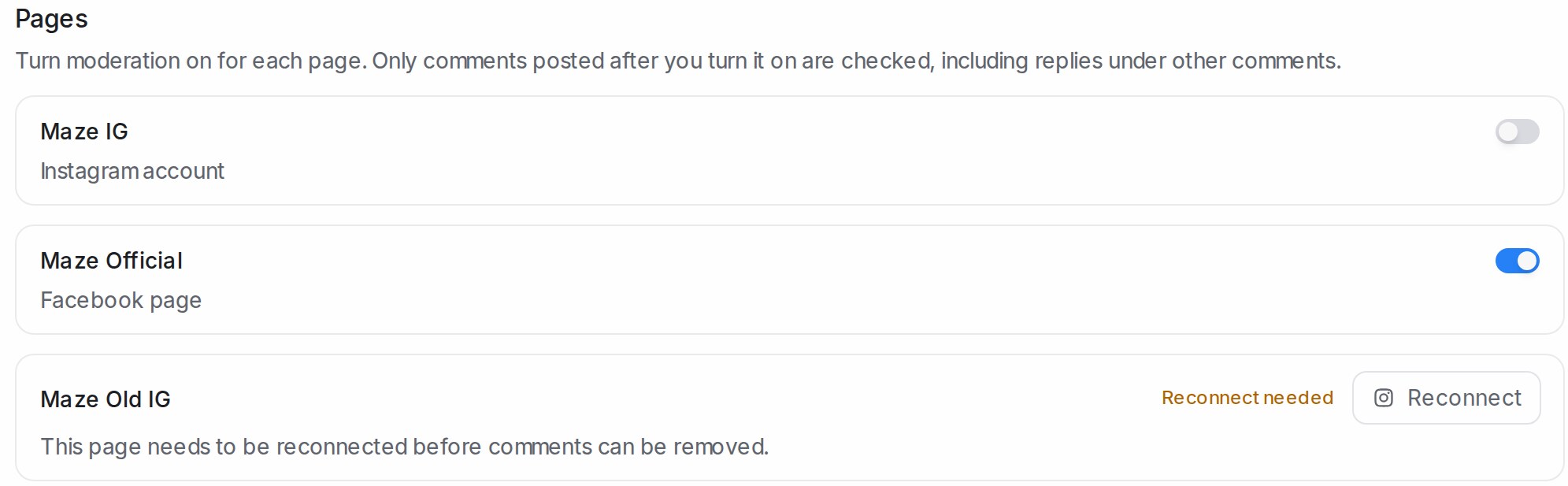
- Only comments posted after you switch a page on are checked.
- Reconnect needed means the page has not given the permission to manage comments. Click Reconnect and approve every permission when Facebook or Instagram asks.
- TikTok accounts show Coming soon.
2. Choose Delete or Hide
Under When a comment matches, pick what happens to a matching comment. The choice applies to every page you switched on.
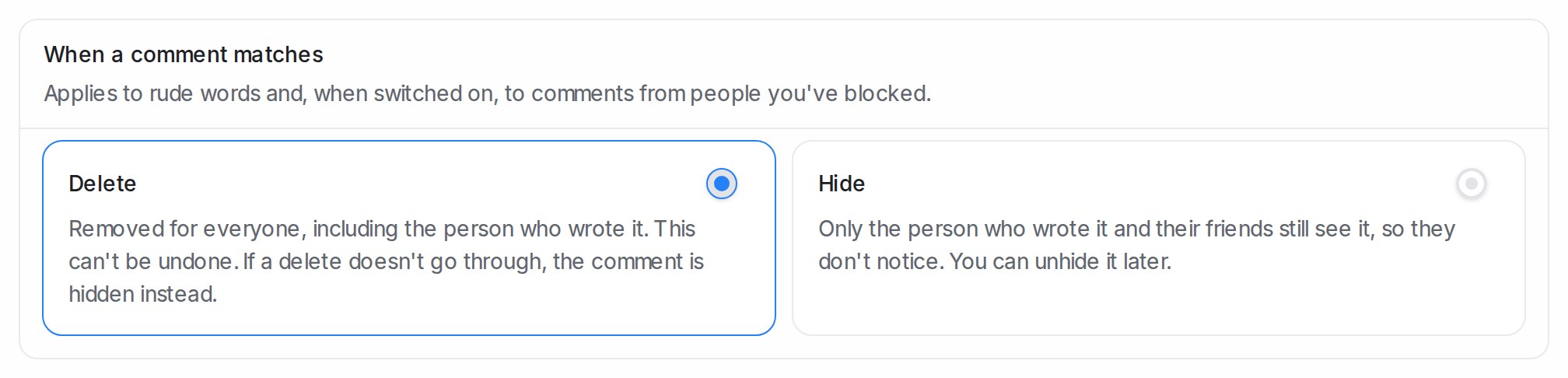
| Option | What people see |
|---|---|
| Delete (the default) | The comment is removed for everyone, including the person who wrote it. This can’t be undone. |
| Hide | Only the person who wrote it and their friends still see it, so they usually don’t notice. You can unhide it later. |
If a delete doesn’t go through after a few tries, the comment is hidden instead, so the public stops seeing it.
3. Edit the rude words
The Rude words list starts with common rude words in English, Malay and Chinese. Type a word or phrase and press Enter to add it; click the × on a word to remove it.
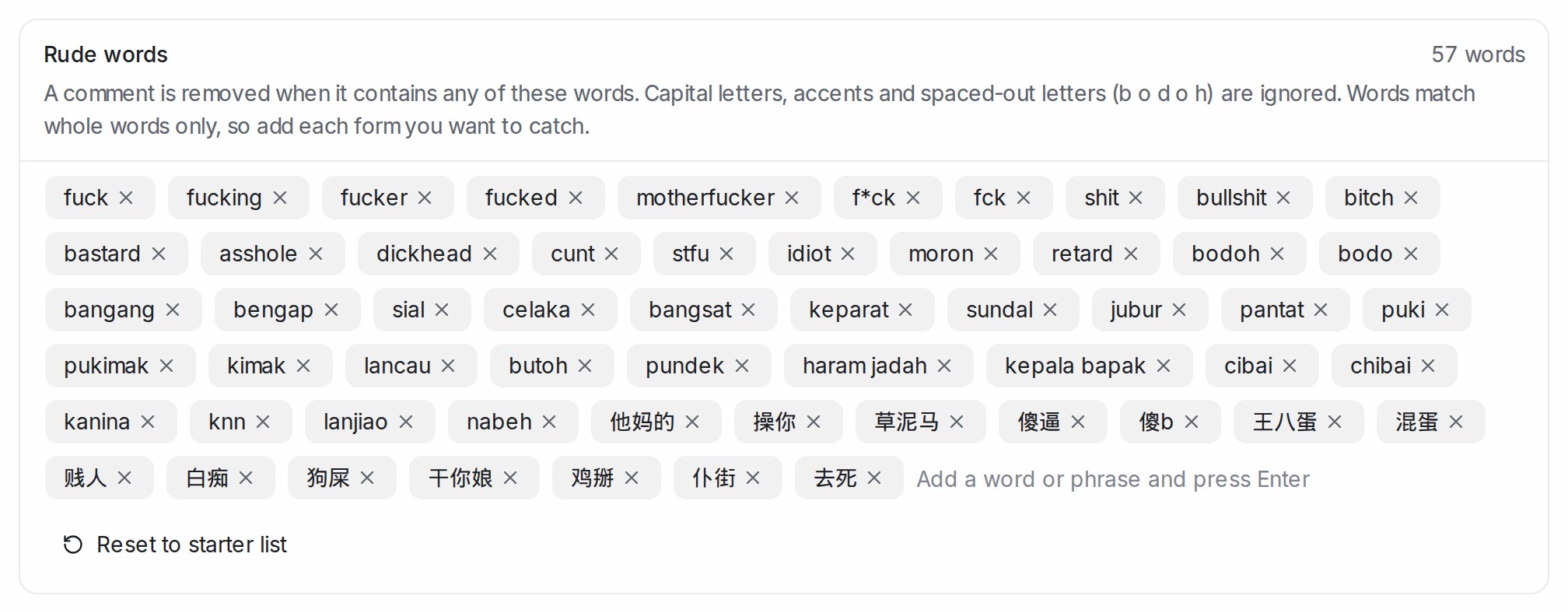
- Capital letters and accents are ignored, and so are letters spaced out one by one (
b o d o h). - English and Malay words match whole words only, so add each form you want to catch (
bodohandbodo). Chinese words match anywhere in a comment. - Reset to starter list brings back the original list.
- Switch on Also remove comments from people you’ve blocked to remove every new comment from a contact you’ve blocked, whatever words it uses.
See what was removed
Click View removed comments on the settings page, or go to Reports → Removed Comments. The tiles count the comments removed in the period you pick: all of them, the deleted ones and the hidden ones.

Administrators and anyone with access to reports can open this page. Removed comments stay on the list for 90 days.
Unhide or delete a comment
Each row shows the comment, who wrote it, the page and post, the word that matched and its Status.
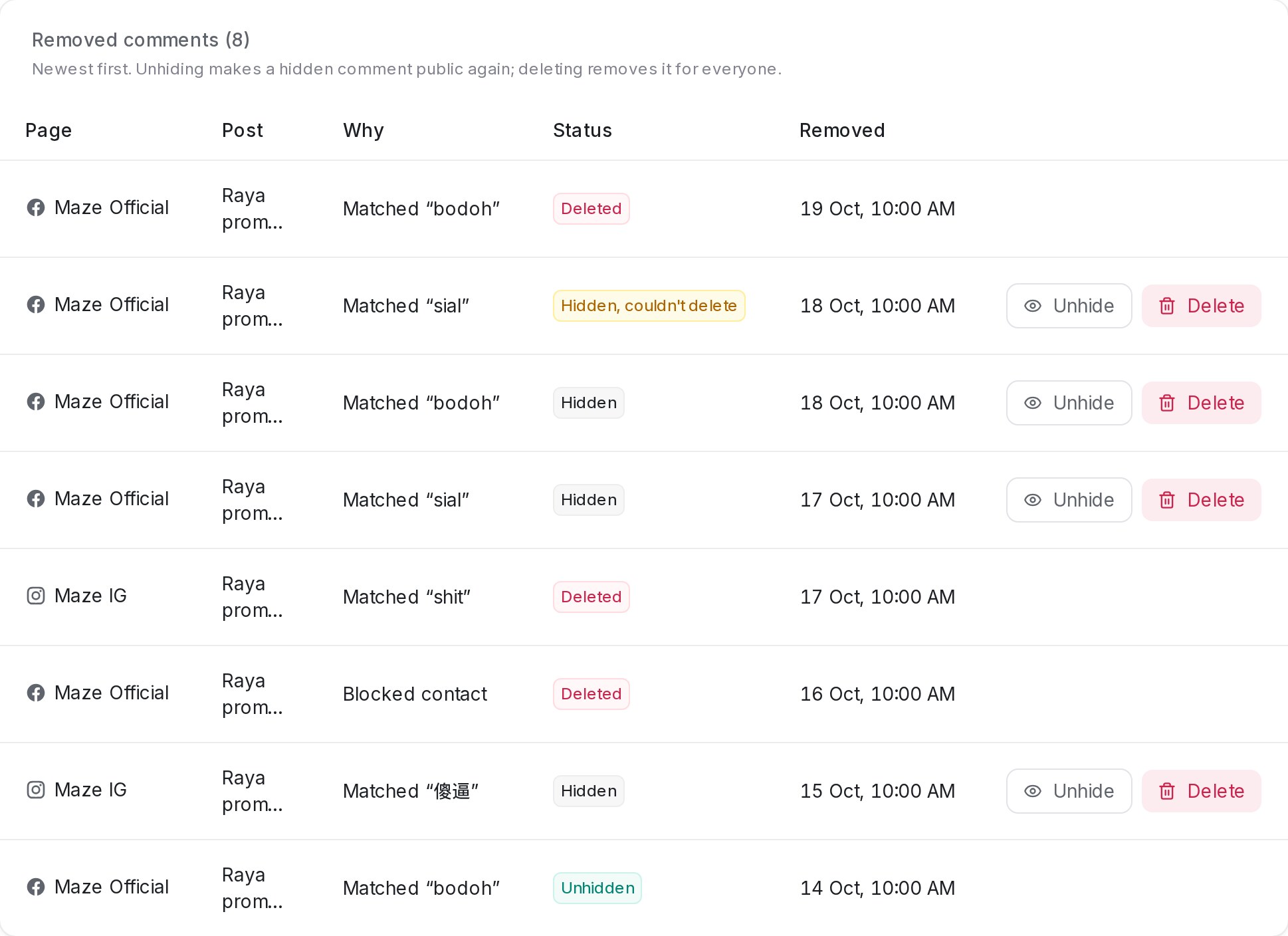
| Status | Meaning |
|---|---|
| Deleted | Removed for everyone. |
| Hidden | Still hidden on the platform. |
| Hidden, couldn’t delete | A delete didn’t go through, so the comment was hidden instead. |
| Unhidden | Someone made it public again. |
- Unhide makes a hidden comment public again.
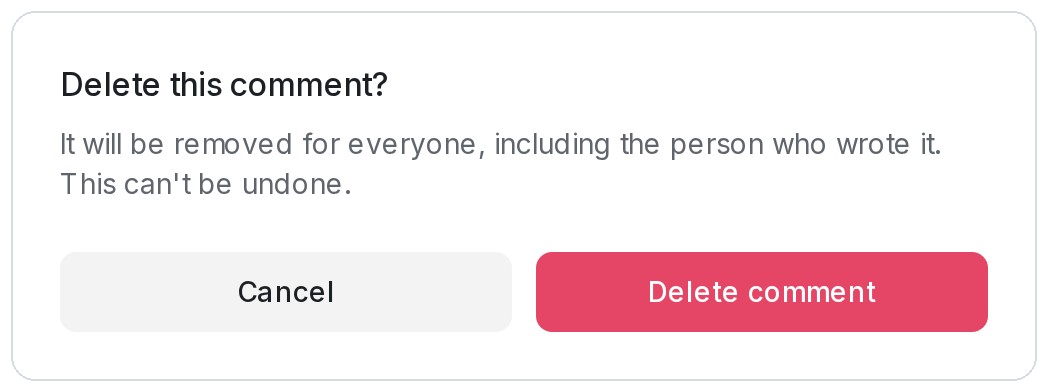
- Delete removes a hidden comment for everyone. Only administrators see this button, and it asks you to confirm first.