
Your plan includes a set number of Monthly Active Contacts and agent seats. When you need more this month without moving to a bigger plan, buy an add-on from Settings → Billing. Add-ons apply immediately and renew with your plan every month until you change them.
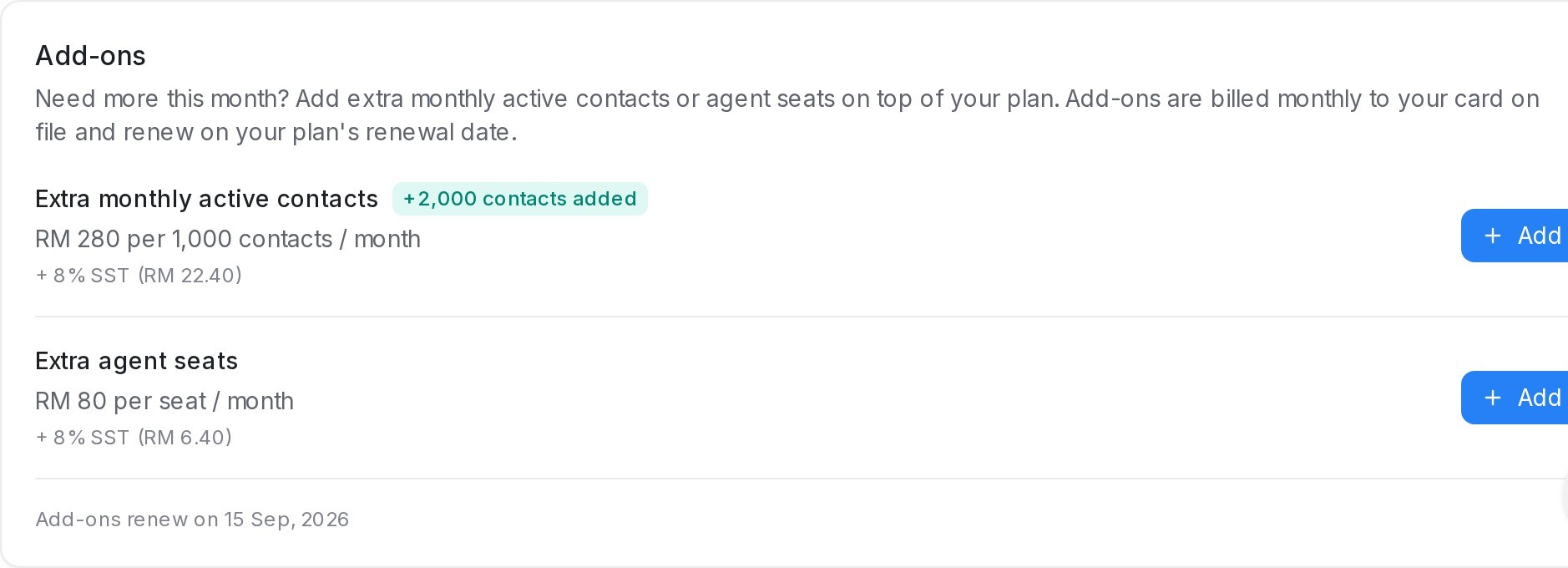
What you can add
- Extra monthly active contacts — in packs of 1,000 contacts per month.
- Extra agent seats — one more login for your team per seat.
Each row shows the monthly price before SST, with the SST amount listed underneath. Anything you have already added shows as a badge beside the add-on name, for example +2,000 contacts added.
How to add
- Open Settings → Billing and scroll to the Add-ons card.
- Click Add next to the add-on you need.
- Choose a quantity. The Monthly total updates as you change it, with the SST shown separately.
- Click Confirm and pay.
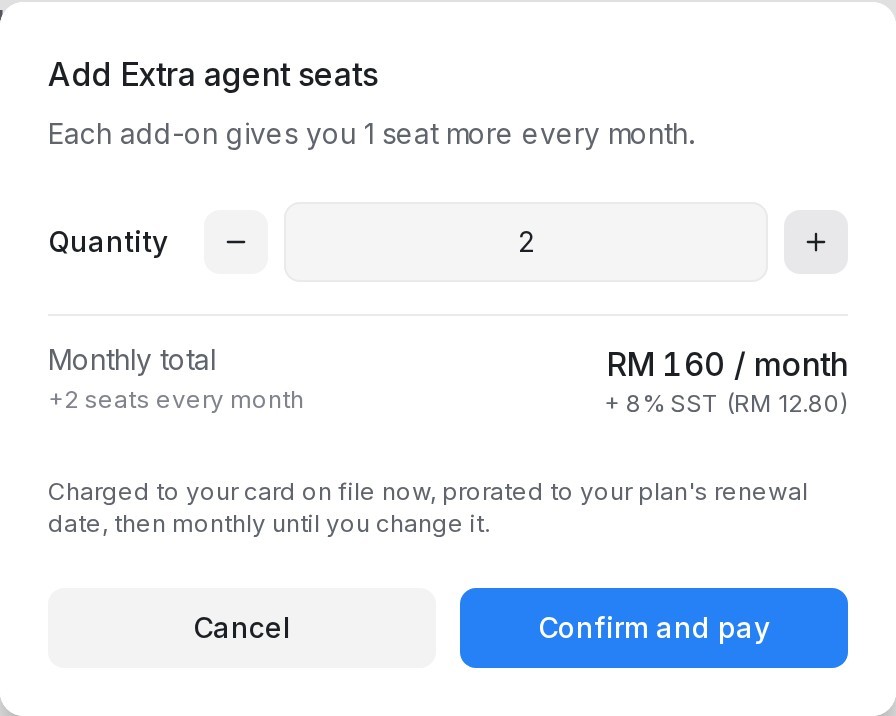
Your card on file is charged straight away for the rest of the current billing month, and your new limit applies immediately. From then on the add-on is billed monthly on your plan’s renewal date, whether your plan is monthly or annual.
Good to know
- Add-ons are available on paid plans. Free-plan accounts upgrade first.
- Extra contacts stack on top of your plan’s Monthly Active Contacts limit; extra seats stack on top of your plan’s agent limit.
- Add-ons keep renewing until you change them. To reduce or remove an add-on, use Chat with us on the Billing page and the team will adjust it for you.
- If your card cannot be charged, nothing changes on your account — update your payment method in the billing portal and try again.