
Every message a customer sends to an Official WhatsApp API inbox opens a 24-hour window in which your team can reply freely: text, images, documents, quick replies, anything. When the customer stays quiet for 24 hours the window closes, and until they write again you can only reach them with an approved message template.
The Reply window countdown
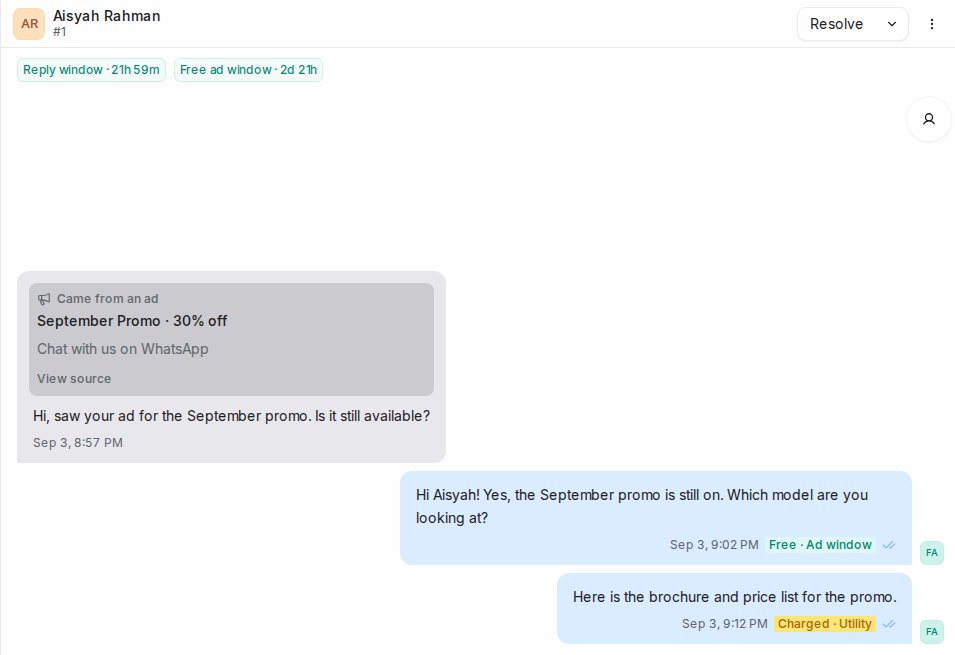
Above the messages in an Official WhatsApp API conversation, Reply window shows how long is left. It counts down every minute and resets to 24 hours each time the customer sends a message.
- Teal, for example Reply window · 21h 12m: you can reply freely.
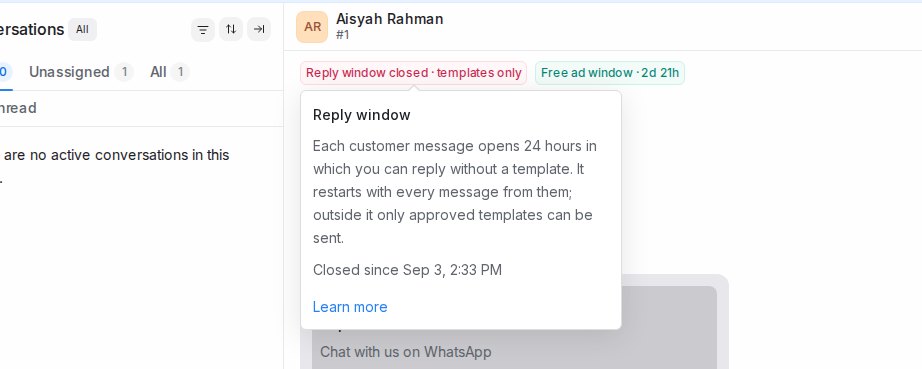
- Red Reply window closed · templates only: the 24 hours have passed. It stays red until the customer writes again.
Hover the countdown to see what it means, the exact time it ends or closed, and a link back to this article.
When the window is closed
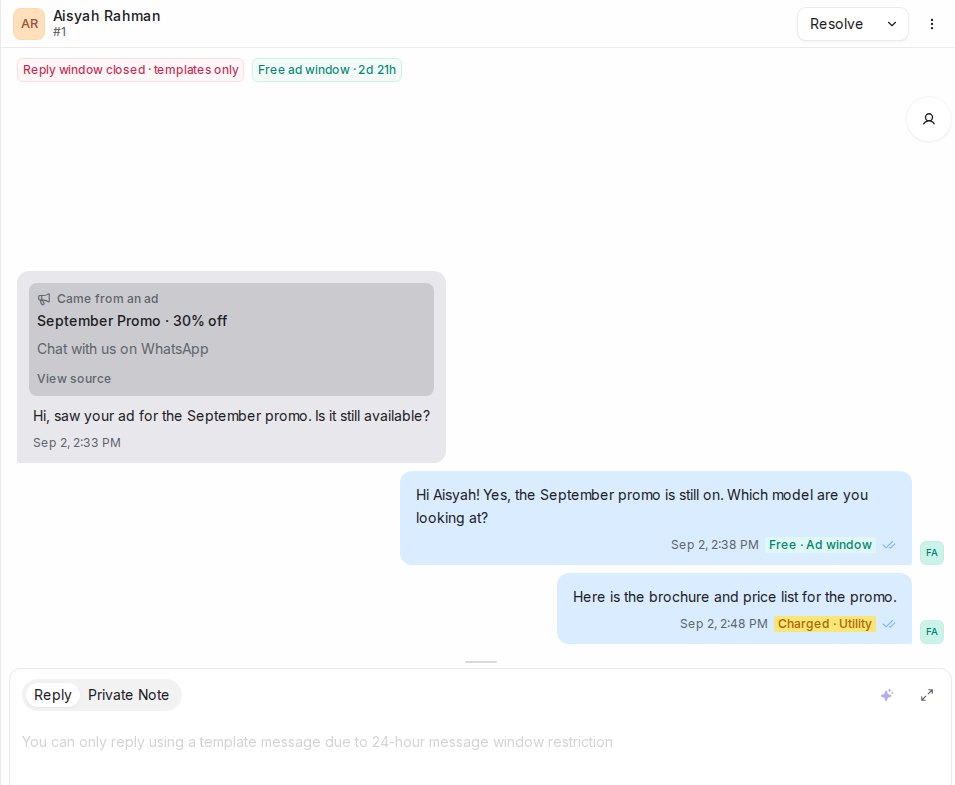
The reply box switches to templates only. Pick an approved template to reach the customer; a template with a picture or file at the top comes with that file already attached. See Creating WhatsApp message templates. As soon as the customer replies, the window reopens and the countdown starts again.
What the window means for your bill
Meta bills each message you send by its type. Replies inside the reply window are service messages; templates are billed by their category, such as utility or marketing. From 1 October 2026 Meta charges for service messages too, but it is switching numbers over gradually, so on many numbers replies are still free for now. Inside a free ad window nothing is charged, whatever the type. Each message in the conversation carries a tag next to its time, such as Free, Free · Ad window, Charged · Service or Charged · Utility, so you can see how it was billed.
Where these rules come from
The 24-hour window and the billing rules are set by Meta, not by Mampu AI, and Meta changes them from time to time. This article reflects Meta’s WhatsApp Business Platform pricing and upcoming pricing updates pages as read on 3 September 2026, and on how Meta billed messages sent through Mampu AI up to 14 October 2026. Check those pages for the current rules before making decisions based on cost.
Tips
- Answer while the countdown is teal. A quick reply keeps the conversation moving and avoids templates altogether.
- If the window has closed, send a short utility template that invites the customer to continue. Their reply reopens the window.
- Customers cannot see the countdown; it is only shown to your team.