
Open Settings → Billing to see your plan, how much of it you have used, and where to pay or change it. Only administrators see this page.
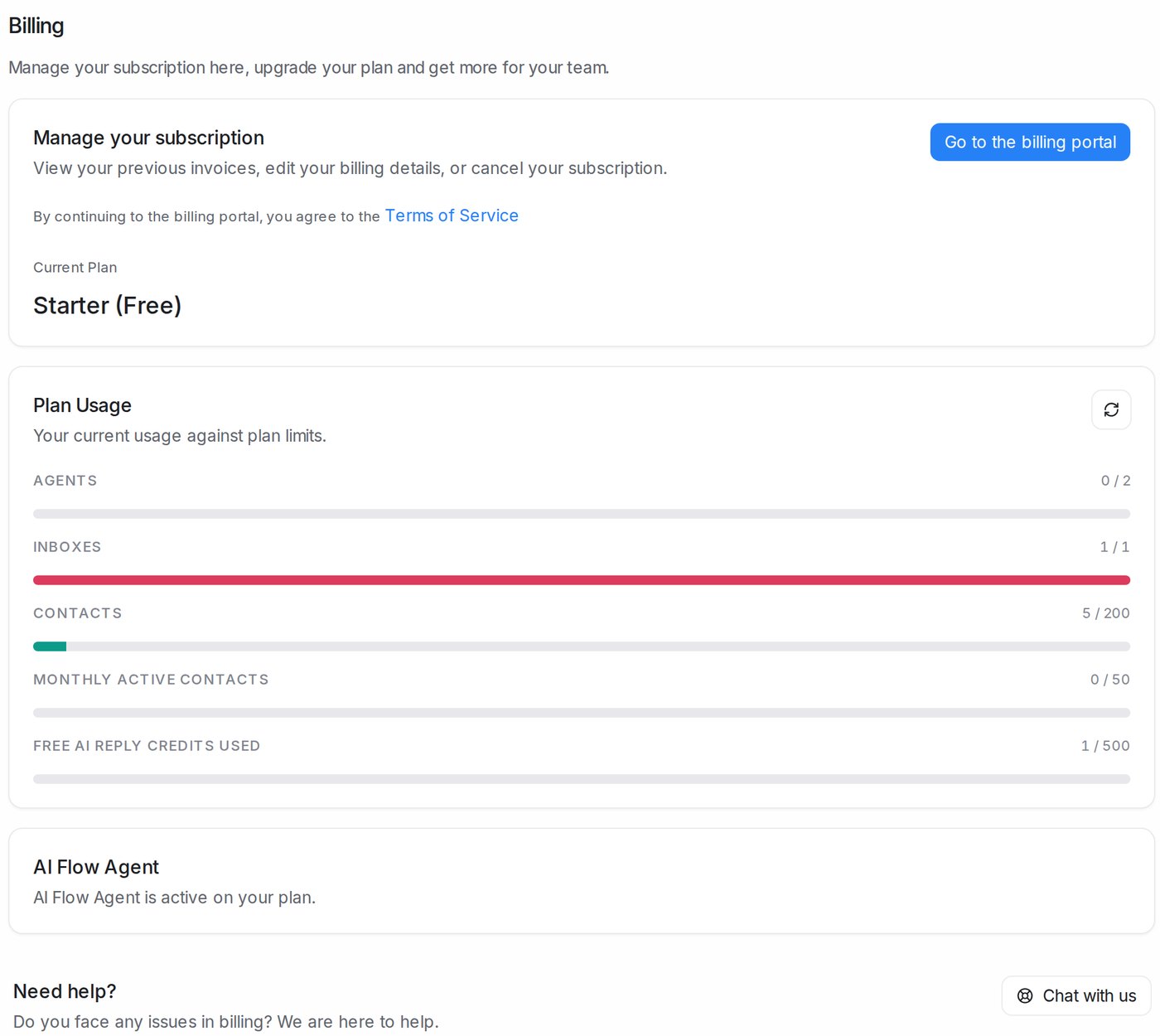
Your plan
| Term | What it means |
|---|---|
| Current Plan | The plan your workspace is on, for example Starter (Free) |
| Renews on | The date your next payment is taken and your monthly allowances start again |
| Plan ends on | Shown instead of Renews on when you have cancelled: the plan stays active until this date, with the days left |
| Currency | The currency you are billed in. You choose it when you first subscribe, and it can’t be changed afterwards |
| Go to the billing portal | Opens the secure billing portal, where you see past invoices, change your card or billing details, and change or cancel your plan. Continuing means you agree to the Terms of Service |
| View Pricing | Opens the plans and prices so you can compare or upgrade |
| Your plan is managed by your account team | Your plan was set up for you by Mampu AI, so changes go through your account team instead of the portal |
| Need help? → Chat with us | Talk to our team about any billing question |
If a payment fails, a banner says Your last payment failed. Click Update payment method to add a working card before the plan lapses.
Plan usage
Plan Usage shows each allowance as used / included. Click the refresh icon to update the numbers.
| Term | What it counts |
|---|---|
| Agents | Team members in your workspace, against the seats your plan includes |
| Inboxes | Connected channels (a WhatsApp number, a Facebook page, a website chat and so on) |
| Contacts | All contacts saved in your workspace |
| Monthly Active Contacts | Different customers you talked with this month; see below |
| Free AI reply credits used | The starter credits your AI agent has used; see below |
Monthly active contacts
The number of different customers you talked with in this billing period. A contact counts once the first time a real message goes either way, an automation rule runs on their conversation, or AI fills in details for them. A blasting message on its own doesn’t count, and deleting contacts doesn’t lower the number. The count starts again with each billing month (on the 1st on the free plan). Contacts → Active in the sidebar lists who has been counted.
More in Monthly Active Contacts.
Free AI reply credits
New workspaces get a set of free credits so their AI agent can reply to customers before they connect their own AI provider key. Every live reply uses credits, including reading a photo, a voice note or a PDF the customer sent. Testing in the Playground doesn’t use any.
The credits are valid for a limited number of days, counted from your agent’s first live reply. A banner at the top of the dashboard shows how many credits and days are left. When they run out or expire, the agent stops replying automatically and administrators get an email. Connect your own key under Settings → Integrations → AI Providers to keep it replying without limits; see Creating a DeepSeek API key.
AI Flow Agent
This card says whether your plan includes flow agents. If it doesn’t, it offers an upgrade.
Add-ons
On paid plans, Add-ons buys Extra monthly active contacts or Extra agent seats without changing plan. Confirm and pay charges your saved card at once for the rest of this billing period (SST shown on its own line), then monthly on your renewal date. The new limit applies straight away. See Add-ons: extra contacts and agent seats.
When you reach a limit
| What happens | Effect |
|---|---|
| Over 80% of monthly active contacts | A banner warns you so you can upgrade in time |
| Monthly active contacts used up | Messages to customers are paused until you upgrade, add contacts or the month restarts. Replies you send from your phone or the WhatsApp app don’t sync into Mampu AI. Incoming messages still arrive |
| More agents or inboxes than the plan includes | Messages to customers are paused until you upgrade or remove agents or inboxes |
Click Upgrade plan on the banner to fix it straight away.