
A Facebook Page can have more than one app connected to its messages: Mampu AI, an older chatbot, a booking tool, or Meta’s own inbox and automated replies. Facebook lets only one app handle a chat at a time. Conversation routing is the Page setting that decides which app that is by default.
On Facebook, Mampu AI shows up as the app JomChat. Make JomChat the default app and:
- your team and your AI agent can reply to every chat, including customers who come back after a quiet day;
- another app can’t take a chat over halfway through.
Signs routing needs fixing
- A reply shows as failed with Not sent because another app is handling this chat on Facebook.
- Your AI agent stays silent on some chats, while the inbox shows as connected.
- Customers say they got a reply from a different bot, or two replies at once.
Before you start
- You must be an admin of the Facebook Page.
- Connect the Facebook inbox in Mampu AI first. JomChat only shows up in the Page’s app list after it is connected.
1. Set JomChat as the default app
- On Facebook, switch into your Page, then open the Page’s conversation routing settings. You can also get there from Settings & privacy → Settings → Page setup.
- Under Messenger, find Default routing app.
- If another app is shown, click ⋯, choose JomChat and save.
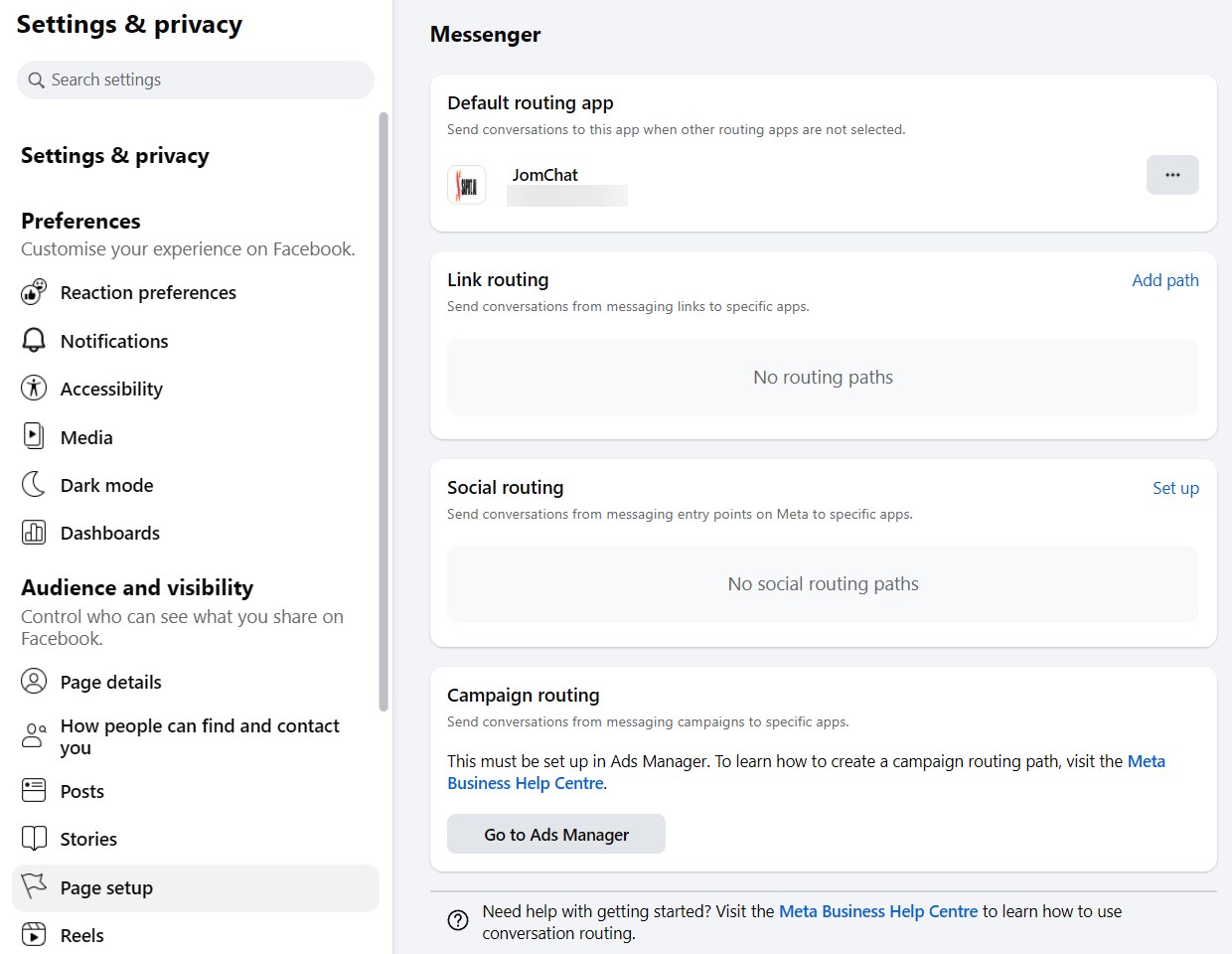
2. Let JomChat take control of conversations
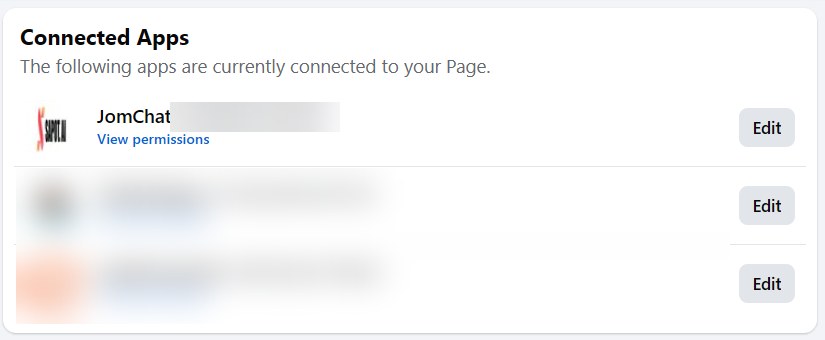
- In Page setup, open Advanced messaging and find Connected Apps.
- Click Edit next to JomChat.
In the JomChat Settings window, under Messenger permissions, turn on Access standby channel and Take control of conversations, then click Save.
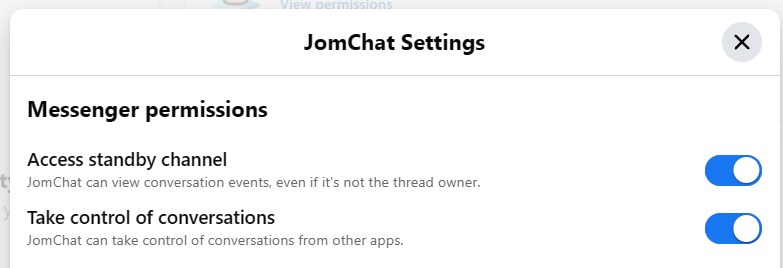
3. Turn off the apps you no longer use
If you moved to Mampu AI from another chatbot, that app may still be listed under Connected Apps and can take chats back. Click Edit next to each other app and turn off Take control of conversations under Messenger permissions. To remove an app you no longer use, follow the Business integrations link at the bottom of the same window.
What Mampu AI does when another app has the chat
- Messages the customer sends still arrive in your inbox.
- When you or your AI agent reply, Mampu AI asks Facebook to hand the chat over first, then sends the reply. Facebook only agrees when JomChat is the default app or the chat has gone quiet.
- If Facebook still says no, the reply shows as failed. Fix the routing above, then send the reply again.
Replying from Meta Business Suite
Your team can still answer from the Meta Business Suite inbox. Messages sent there also show in the chat in Mampu AI. While they reply there, Meta may give the chat to its own inbox for a while; Mampu AI takes it back the next time you reply.