
A hacked WhatsApp number often sends zip files or app files to many of your customers within minutes. Mampu AI watches the files your own WhatsApp sends. When your number sends zip or program files to 3 or more chats within 10 minutes, your inbox shows a red alert and your workspace admins get an email straight away. This works for numbers connected with Official WhatsApp API that also stay in your WhatsApp Business app, and for numbers connected with Normal WhatsApp Web Link.
The files that count are zip, rar, 7z, apk, exe, scr, bat, js, vbs, msi, jar and iso. Photos, voice notes, videos and PDFs never count.
The red alert on your inbox
Open Settings → Inboxes and the inbox. The alert sits at the top of its Settings tab, and the inbox carries a red badge in the sidebar.

While the alert is open:
- Your AI agent on this inbox stays quiet, so a person answers customers who ask about the file.
- Your admins get the email again every 5 minutes while files keep going out.
- The alert closes by itself after an hour with no new file.
The email to your admins
The email says how many files went out to how many chats, and lists the steps below. Its link opens the customers who got a file.
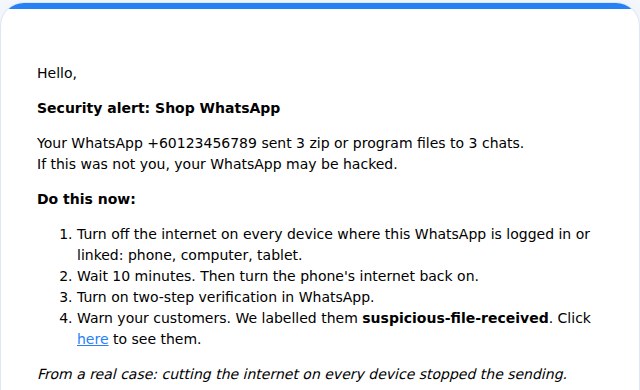
Do this now
- Turn off the internet on every device where this WhatsApp is logged in or linked: phone, computer and tablet.
- Wait 10 minutes. Then turn the phone’s internet back on.
- Turn on two-step verification in WhatsApp.
- Warn your customers (next section).
Cutting the internet on every device is what stopped the sending in a real case.
Warn the customers who got a file
Every customer who got a file is labelled suspicious-file-received, on the contact and on the conversation. The link in the email opens them all. You can also open Contacts, click Filter contacts and add a Labels condition with this label. See Searching, filtering and segments.
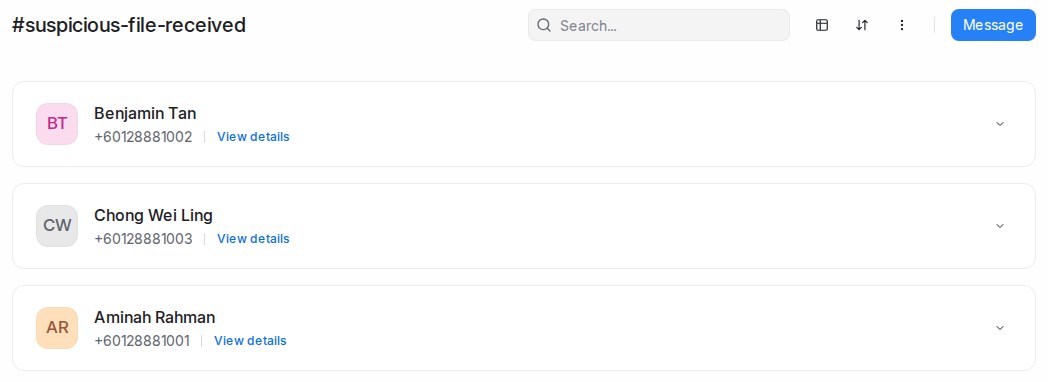
To message them all at once, create a WhatsApp blasting with this label as the audience. See WhatsApp blasting.
- Official WhatsApp API: customers outside the 24-hour window can only get a template. Mampu AI submits a ready warning template called security_warning_customers to Meta when the alert opens. The email says whether it is approved. If Meta did not approve it, create one yourself. See Creating WhatsApp message templates.
- Normal WhatsApp Web Link: no template is needed. Send the warning as a normal message.
Send the warning only after the steps above, so the hacker does not see it.
When there is no alert
If someone takes over your number completely, for example by asking for your 6-digit code, your number is disconnected from Mampu AI and no file reaches us, so no alert opens. Keep two-step verification on and never share your 6-digit code.