
Pinning keeps a conversation at the top of the list, the way pinned chats work on your phone. Use it for the chats your team needs to keep an eye on: a deal about to close, a complaint everyone is watching, a customer you promised to call back. Pins are shared by your whole account, so when you pin a conversation your teammates see it at the top too.
Pin a conversation
- In the conversation list, right-click the conversation and choose Pin conversation.
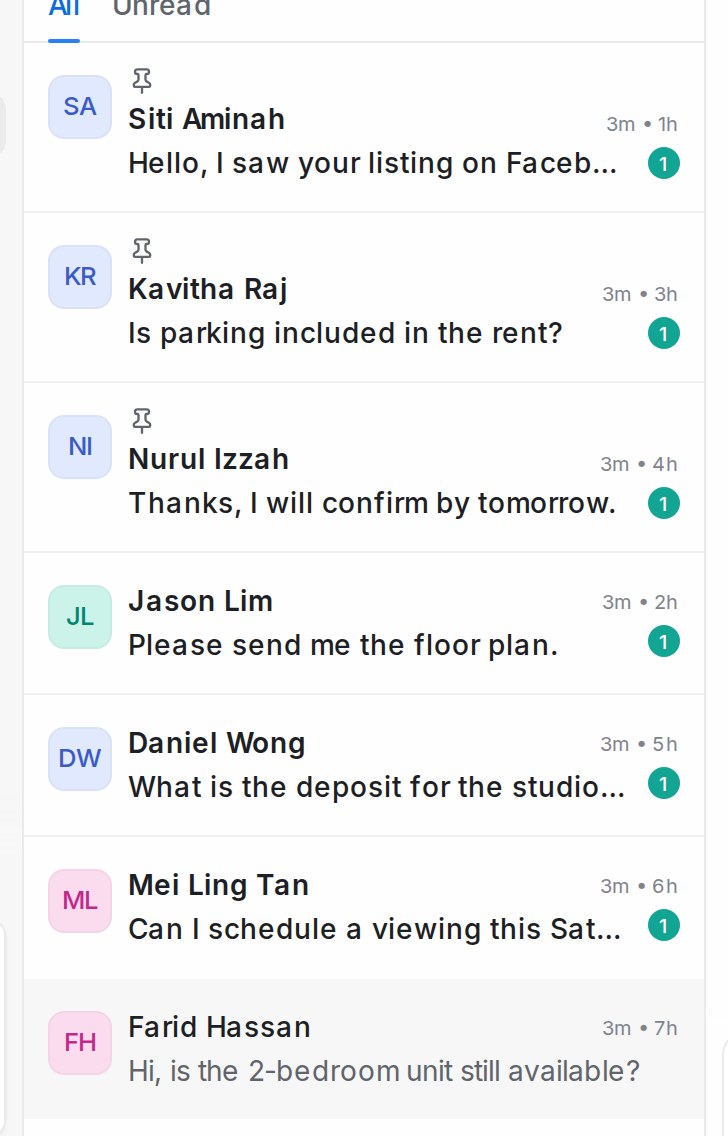
- The conversation moves to the top of the list and shows a small pin icon.
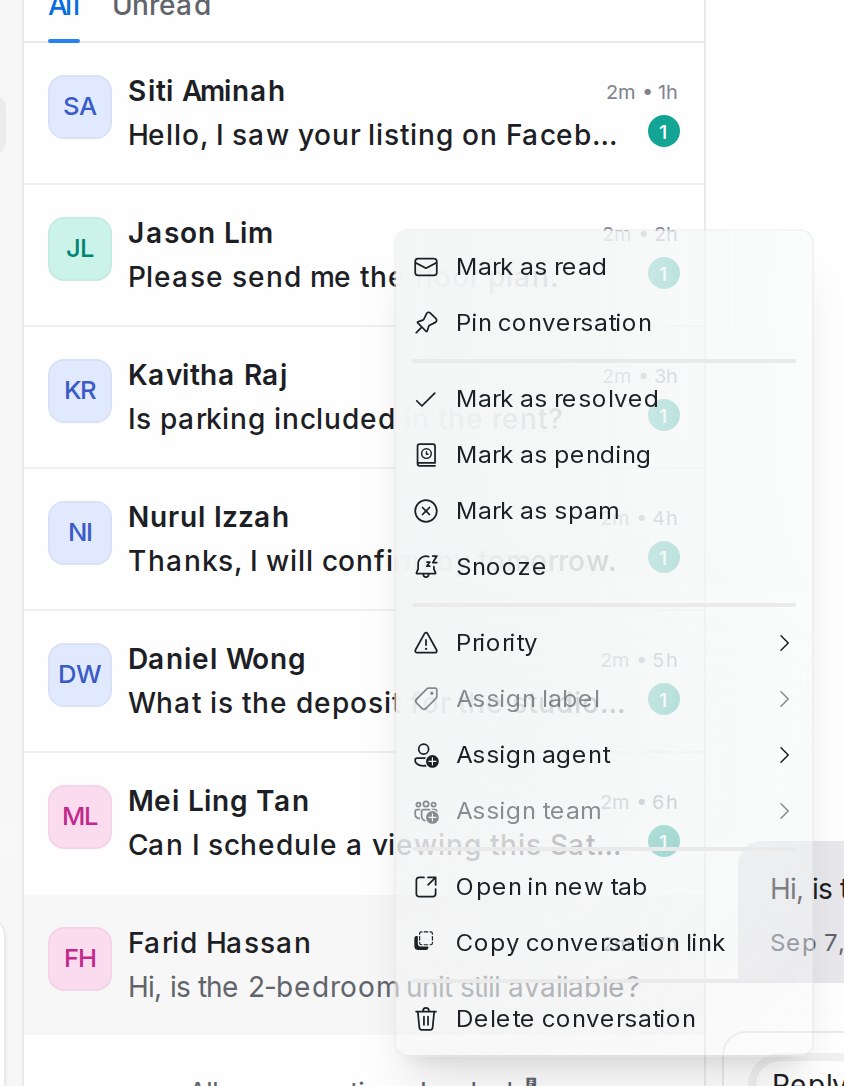
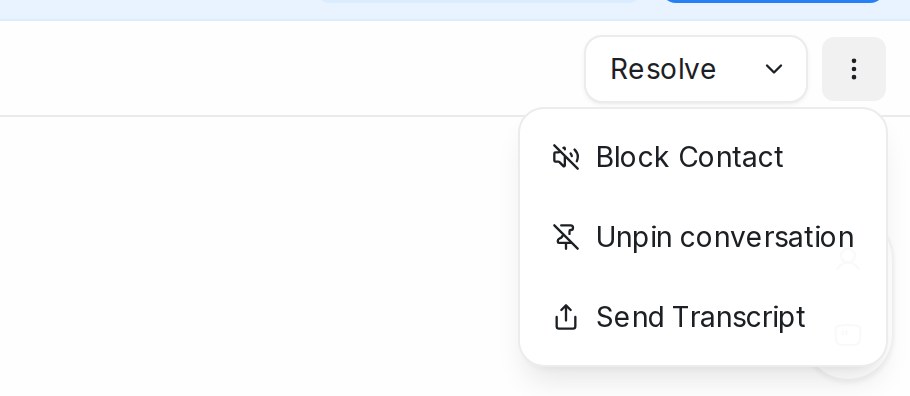
You can also pin from inside a conversation: open the ⋮ menu at the top right, next to Resolve, and choose Pin conversation.
How pinned conversations are shown
Pinned conversations always sit above the rest of the list, whichever sort order you have chosen. When more than one is pinned, the most recently pinned comes first, so the block stays in the same order until you change it.
A pin follows the conversation wherever it appears. A pinned conversation stays pinned when you resolve it, so it sits at the top of the Resolved list instead of the Open list. It shows at the top of Mine, Unassigned or All only when it belongs in that tab, and the same goes for inbox, team, label and folder views.
Unpin a conversation
Right-click the pinned conversation and choose Unpin conversation, or open it and pick Unpin conversation from the ⋮ menu. It drops back to its usual place in the list.
Up to three at a time
An account can have up to three pinned conversations. If all three slots are in use, pinning another shows a short message asking you to unpin one first. Nobody’s pin is ever removed for you.

Any agent who can see a conversation can pin or unpin it, so agree with your team on what the three slots are for.