
Meta watches every Facebook Page and WhatsApp API number it connects: a Page can be restricted, a number’s quality rating can drop, a template can be rejected. Mampu AI turns each of those into a notice on the inbox, so you hear about it where you work instead of from a customer weeks later.
Where a notice shows
- A small alert icon next to the inbox in the sidebar, red or yellow.
- A banner at the top of the inbox’s Settings tab (Settings → Inboxes, then the inbox), with Meta’s own words under What Meta said.
- An email to every administrator of your workspace, for red and yellow notices only, at most once a day for the same notice.
- The Notices from Meta list at the bottom of the same tab, which keeps the history, grey entries included.
Red means messaging is affected now. Yellow means Meta has warned you and it gets worse if nothing changes. Grey entries are for your information only. Instagram inboxes show only the reconnect banner described below.
What each notice means
| Notice | Colour | What to do |
|---|---|---|
| Facebook Page restricted by Meta | Red | Open the Page in Meta Business Suite and resolve the violation Meta names. Messages may not be delivered until then. |
| Facebook Page warned by Meta | Yellow | Read the warning in Meta Business Suite before it becomes a restriction. |
| Messaging blocked by Meta, Messaging policy warning from Meta | Red, yellow | Fix the behaviour Meta names; a block lifts only when Meta lifts it. |
| Facebook Page not found at Meta | Red | The Page was deleted, unpublished or merged. Reconnect it, or connect the Page that replaced it. |
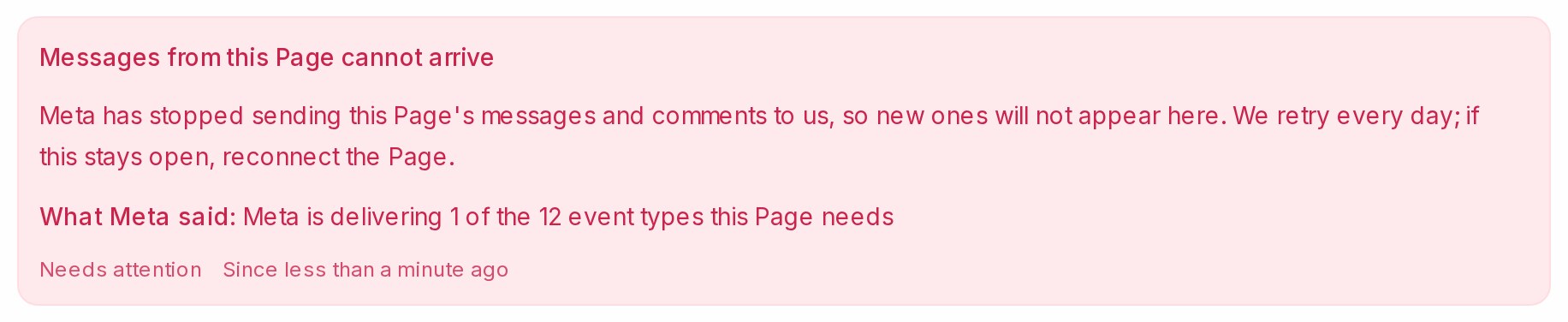
| Messages from this Page cannot arrive | Red | Meta stopped sending the Page’s messages and comments to Mampu AI. Mampu AI retries every day; if the notice stays, reconnect the Page. |
| Label sync needs Meta’s Page Contact Terms | Yellow | A Page admin creates the first label in the Meta Business Suite inbox and accepts the terms shown, or you switch the sync off for the Page on its Settings tab. See Connecting a Facebook inbox. |
| WhatsApp account restricted, disabled, rejected, deleted, WhatsApp access removed | Red | Resolve it in WhatsApp Manager; for a removed access, reconnect the number. |
| Messages to this number cannot arrive | Red | Meta has stopped sending the number’s messages to Mampu AI. They still reach the phone, but not the inbox. Reconnect the number, as described under When a WhatsApp number is not fully connected. |
| WhatsApp number disconnected | Red | Meta shows the number as disconnected, so messages do not arrive and replies are not sent. Reconnect the number, as described under When a WhatsApp number is not fully connected. |
| WhatsApp account under review | Yellow | Wait for Meta’s decision; sending may be limited meanwhile. |
| WhatsApp messaging limit lowered | Red | Blasts and first messages beyond the new limit are not sent. Improve quality to earn the limit back. |
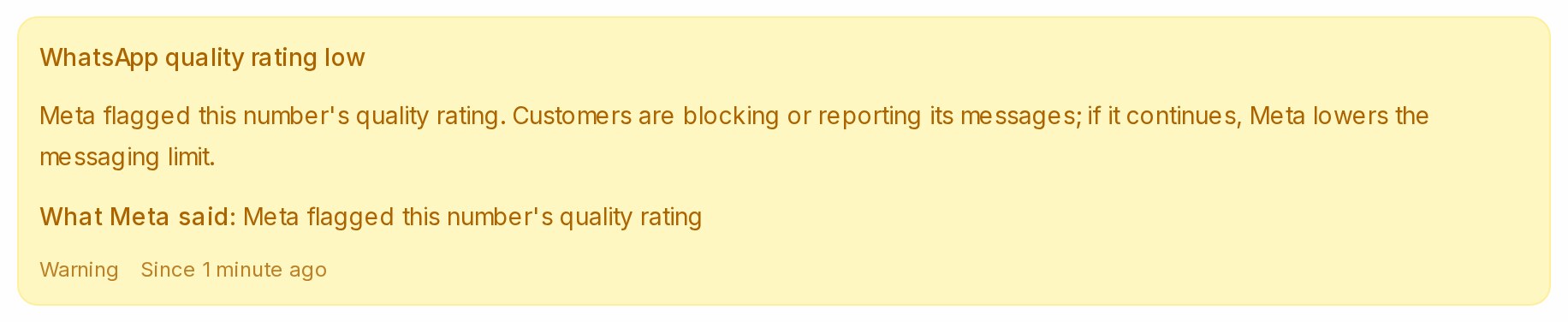
| WhatsApp quality rating low | Yellow | Customers are blocking or reporting the number’s messages. See WhatsApp account tips. |
| Template rejected, paused, disabled by Meta | Red | Edit and resubmit the template, or create a new one. |
| Template flagged by Meta, Template quality rating low | Yellow | Customers are reporting the template; it may be paused next. |
| Template approved, category changed, messaging limit raised, account approved | Grey | Nothing to do. A category change can change what the template costs to send. |
When the connection itself has expired

When Meta no longer accepts the login behind an inbox, because the Page admin changed their password, removed Mampu AI or left the Page, the inbox’s Settings tab shows Your inbox is disconnected. You won’t receive new messages until you reauthorize it. with Click here to reconnect. Administrators get an email with the same link, titled Your Facebook page connection has expired or Your Instagram connection has expired.
- Click Click here to reconnect. and sign in to Facebook or Instagram again.
- Choose the same Page or account.
The banner goes and Mampu AI reads the inbox’s state at Meta again straight away.
When a WhatsApp number is not fully connected

When Meta will not let Mampu AI read a WhatsApp API number, the inbox’s Settings tab and its other tabs, Account Health included, show a red banner: This WhatsApp number isn’t fully connected yet, so messages can’t be sent or received. This happens when a connection was never finished, when access to the number was removed, or when the number moved to another WhatsApp account.
- Click Reconfigure on the banner.
- In Meta’s window, follow the steps and choose the same number the banner names.
The inbox keeps its conversations and settings, its name changes to the business name Meta shows for the number, and the banner goes once Meta reads the number again. If you choose a different number, the inbox refuses it and asks you to try again with the same one.

A number you also use in the WhatsApp Business app shows a yellow notice instead when Meta pauses its link to the app, usually after the app was reinstalled or moved to another phone. Open the WhatsApp Business app on that phone and accept the prompt to reconnect. If the notice is still there after a few minutes, click Reconfigure. Such a number is never offered Register number, because registering it here can sign the phone out of the WhatsApp Business app.
When messages stop reaching a connected number
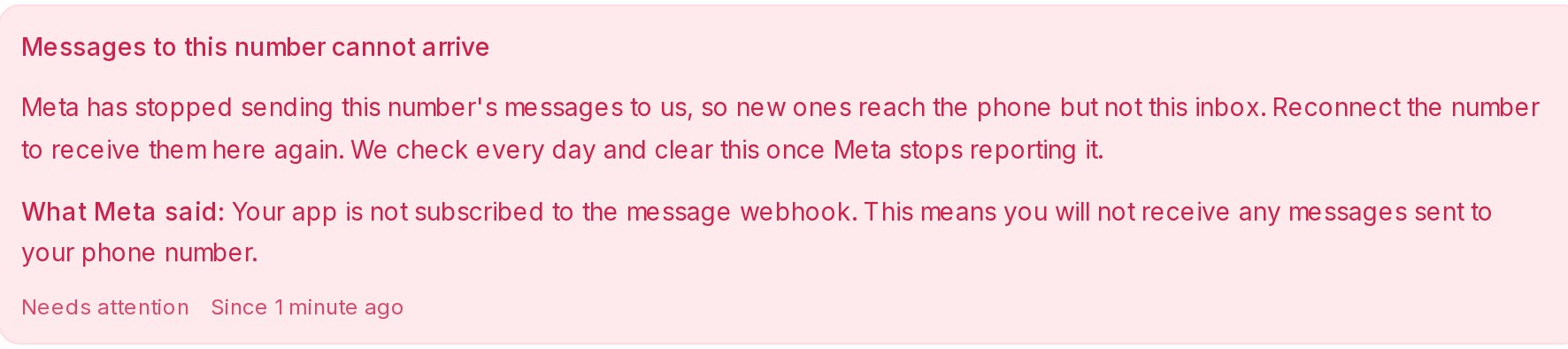
Mampu AI reads every WhatsApp API number once a day. When Meta has stopped sending a number’s messages to Mampu AI, or shows the number as disconnected, the inbox’s sidebar alert turns red, the notice Messages to this number cannot arrive or WhatsApp number disconnected is listed on its Settings tab, and administrators get one email. Customers’ messages keep reaching the phone meanwhile, but not the inbox.
- If you also use the number in the WhatsApp Business app, first disconnect Mampu AI inside the app on that phone. Do not remove Mampu AI in Meta Business settings, and do not delete the WhatsApp account.
- Click Reconfigure, on the notice on the Settings tab or on the Configuration tab, and choose the same number.
- When the phone asks, agree to share the chat history, so the messages the inbox missed can come in.
How a notice clears
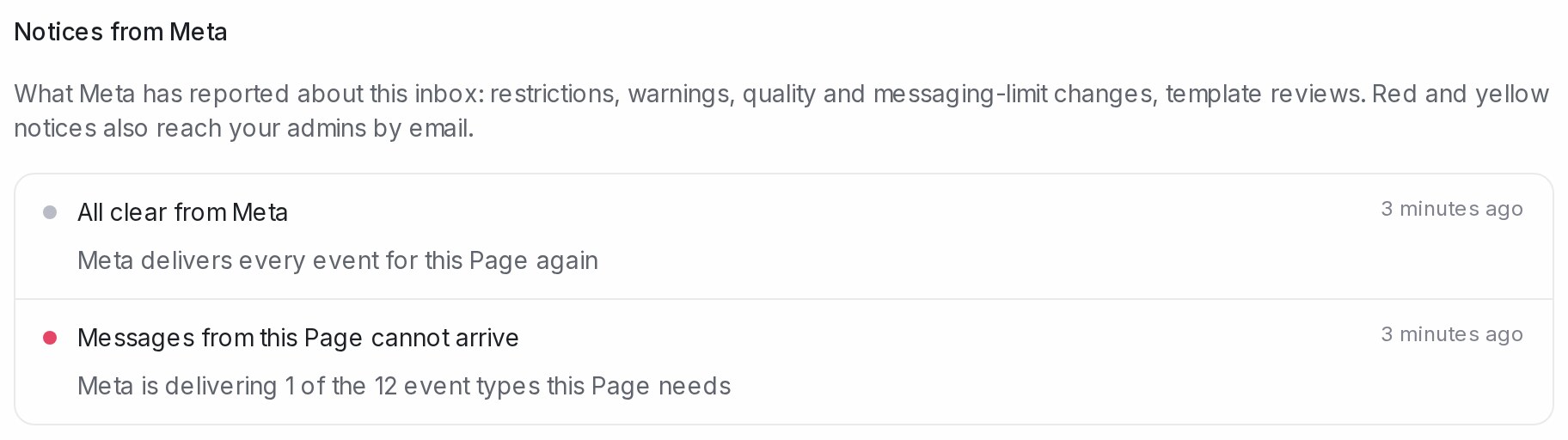
A notice closes on its own when Meta reports the matter as resolved, and an All clear from Meta entry says what cleared. Once a day Mampu AI also re-reads every inbox that still carries a red or yellow notice, and every WhatsApp API number, so a number whose rating recovered or a Page that is back online clears without you doing anything. Nobody is emailed for an all-clear.