
Conversation Workflow holds Auto-resolve conversations: it resolves an open conversation once nobody has written in it for the time you choose. Your conversation list stays clear of chats that have gone quiet, without anyone closing them by hand. It applies to every inbox in your workspace. Only administrators can change it.
Turning on auto-resolve

- Open Settings → Conversation Workflow.
- Switch on Auto-resolve conversations. The settings below appear.
- Fill them in (see the next section) and click Save Changes.
Switching it off again saves straight away and clears the time, the message and the label.
Choosing the time, message and label
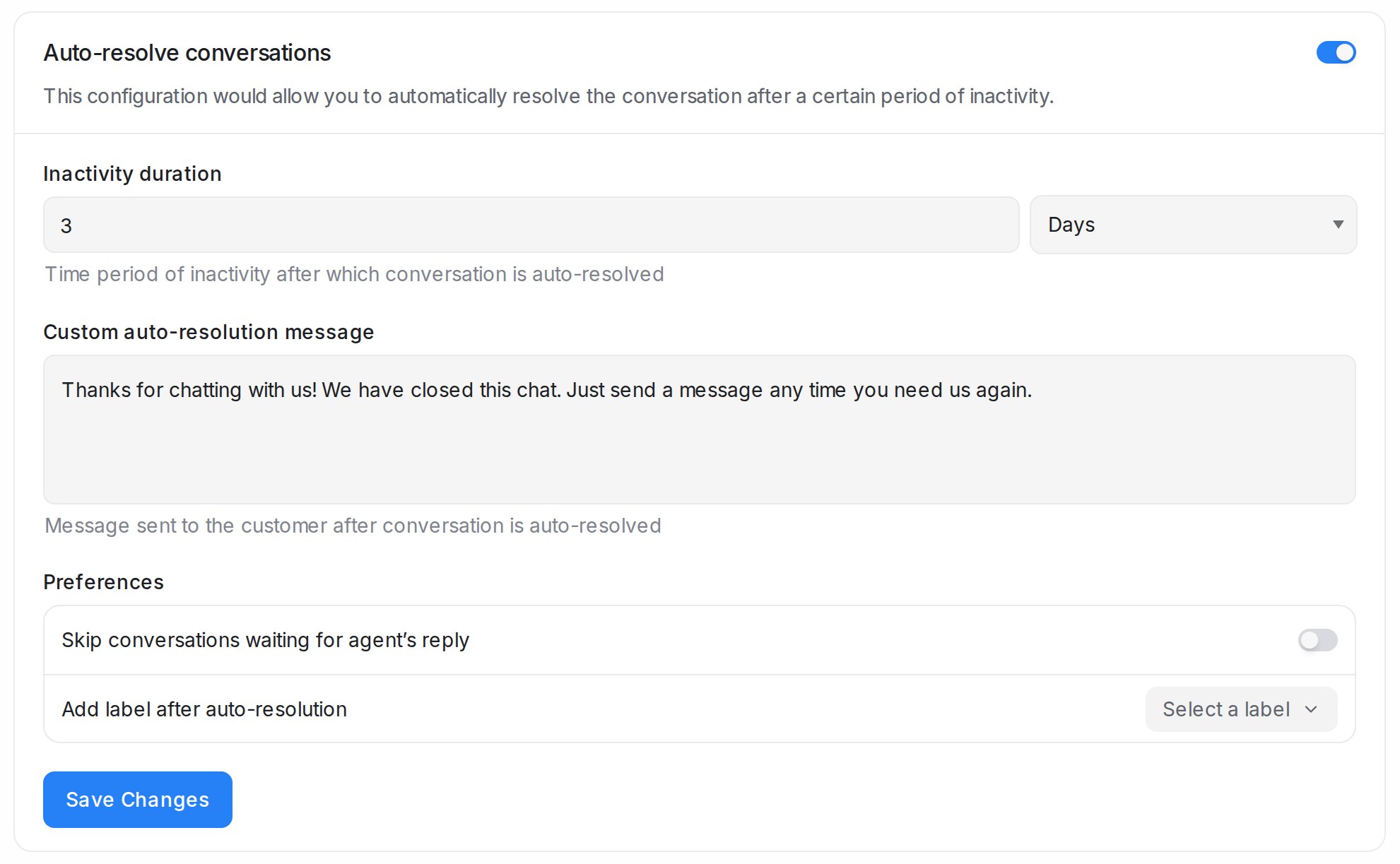
| Setting | What it does |
|---|---|
| Inactivity duration | How long a conversation must stay quiet before it is resolved, in Minutes, Hours or Days. The shortest is 10 minutes. |
| Custom auto-resolution message | Optional. Sent to the customer when the conversation is resolved. |
| Skip conversations waiting for agent’s reply | Leaves a conversation open when the customer’s last message has not been answered yet. |
| Add label after auto-resolution | Optional. Adds this label to every conversation closed this way, so you can find them later. |
What happens to a quiet conversation
Only conversations with the status Open are resolved; pending and snoozed ones are left alone. The conversation shows a line such as “Conversation was marked resolved by system due to 3 days of inactivity”.
When the channel no longer lets you message the customer, for example after WhatsApp’s 24-hour reply window has closed, the closing message is not sent. The conversation shows “Auto-resolve message not sent due to outgoing message restrictions” instead, and it is still resolved.
Frequently asked questions
Does auto-resolve close chats my customer is still waiting on?
Only when Skip conversations waiting for agent’s reply is off. Switch it on to keep unanswered chats open.
Can I set a different time for each inbox?
No. The setting covers every inbox in the workspace.
Is the closing message sent on WhatsApp?
Yes, while the 24-hour reply window is open. After that it is skipped and the conversation says so.