
The Partner Programme is for agencies, consultants and resellers who bring clients to Mampu AI. You apply once, our team reviews your application, and once approved you get your own partner link and earn commission when the accounts you refer pay. Open it from Settings → Partner.
Note: The Partner Programme is separate from the Referral programme. Every user has a referral link straight away with no application; the Partner Programme needs approval and has its own tiers.
How the programme works

About the Partner Programme sits at the top of the page for everyone. It shows the four steps (Apply, Get approved, Share your link, Earn) and, under Available Tiers, each tier’s commission, the minimum number of referrals it needs and how long commission is paid. Check that table for the current rates.
Apply to become a partner
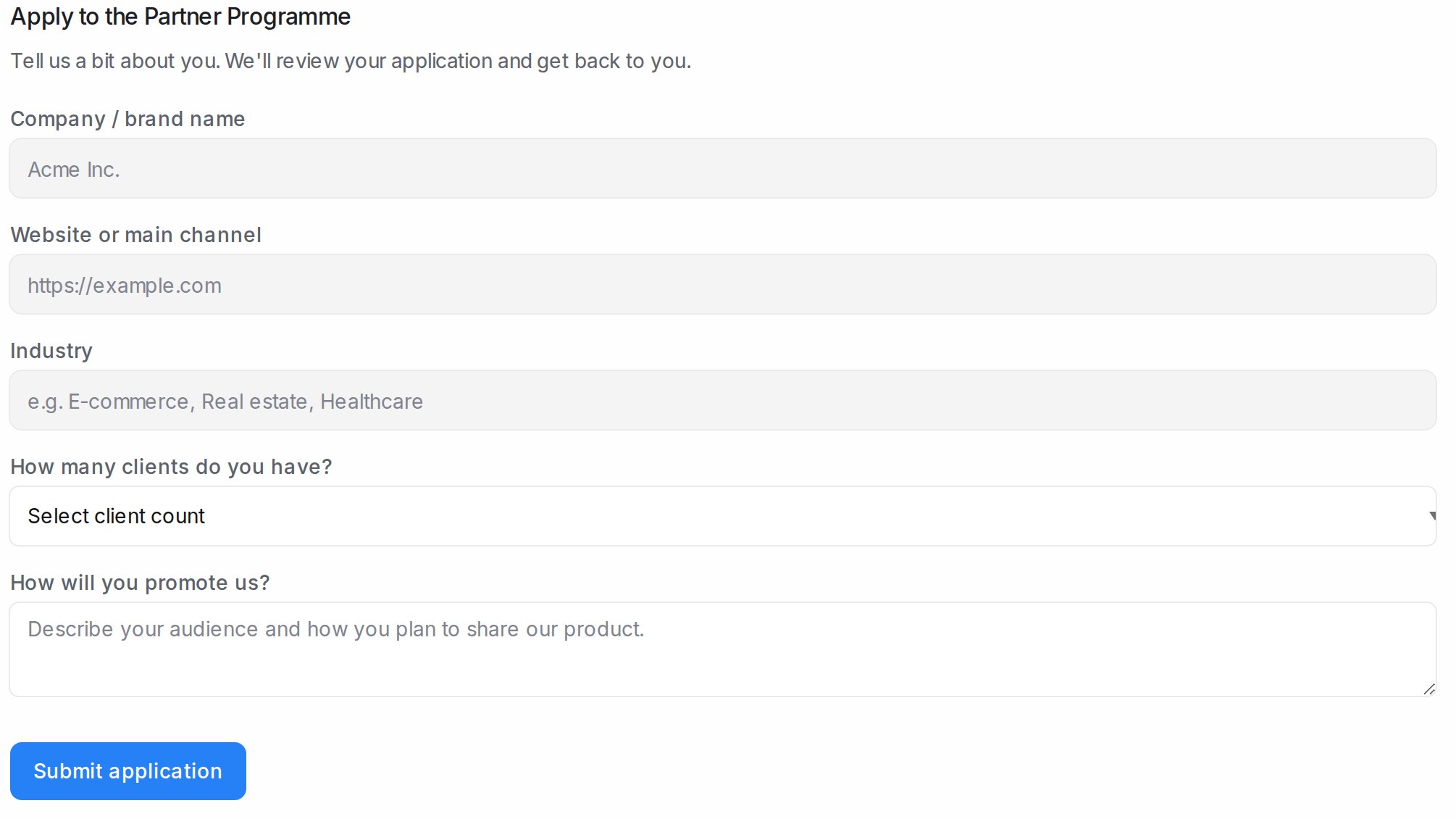
- Open Settings → Partner.
- Under Apply to the Partner Programme, fill in every field: Company / brand name, Website or main channel, Industry, How many clients do you have? and How will you promote us?
- Click Submit application.
The page then shows Application under review until our team decides. If it shows Application not approved and you think that is a mistake, contact us.
Share your partner link

Once you are approved, Your Partner Link appears. Click Copy Link and share it with your clients, on your website or on social media. Your Partner code is shown under the link. Your Tier shows your current tier and how close you are to the next one.
Follow your referrals and earnings
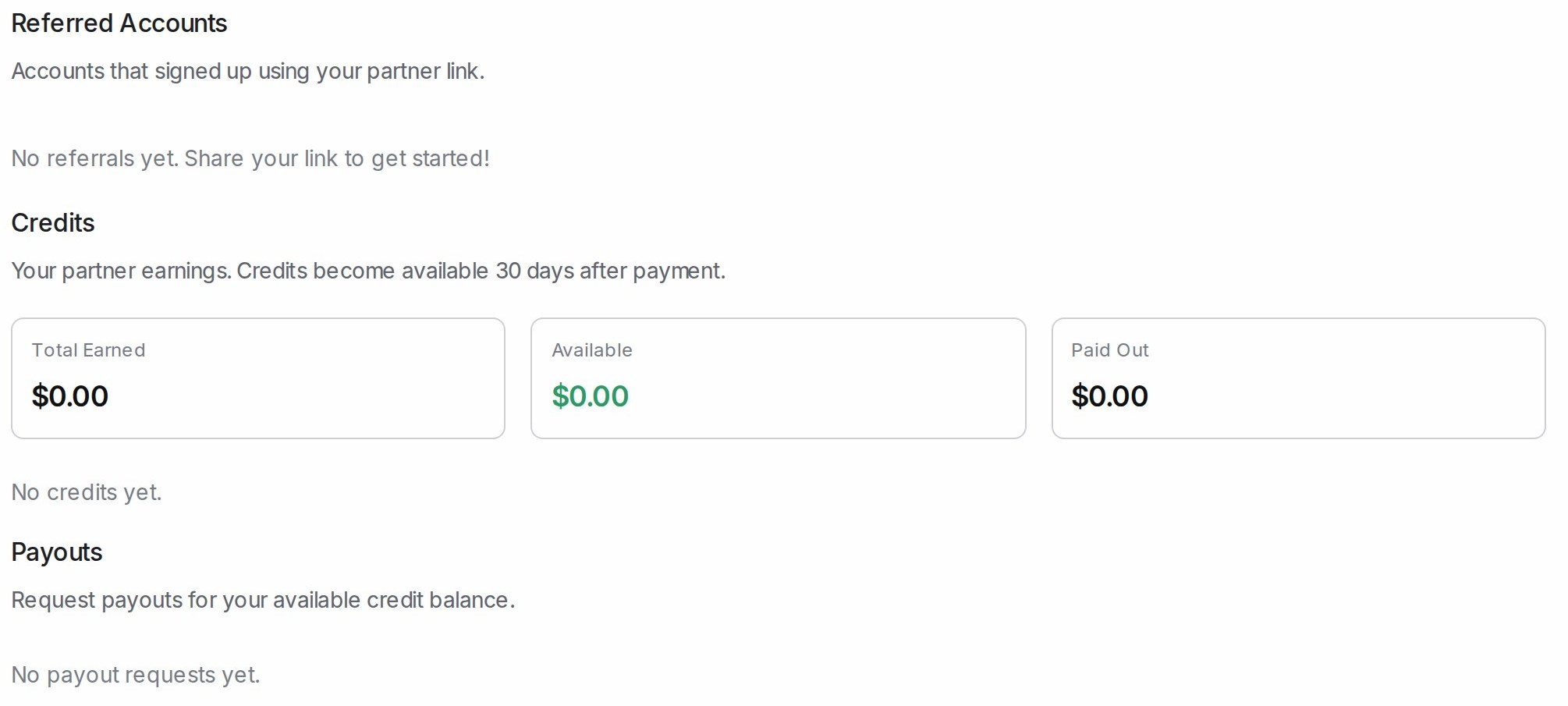
- Referred Accounts: every account that signed up through your partner link.
- Credits: Total Earned, Available and Paid Out. A credit becomes available after the waiting period the section states.
- Payouts: when you have an available balance, enter an amount and click Request Payout. Each request is listed with its status.
Frequently asked questions
Can I be in the Referral programme and the Partner Programme at the same time?
Yes. They are separate programmes, each with its own link, tiers and earnings.
Who can apply?
Any user of a workspace can open Settings → Partner and apply.
Can I request more than my available balance?
No. A payout request must be no more than the Available amount.