
When someone comments on one of your Instagram posts or reels, Mampu AI can reply to the comment publicly and send that person a private message — automatically, based on the words they used.
This is how a comment on a promo post becomes a real conversation: the public reply keeps the post lively, and the private message moves the customer into your Instagram inbox, where your team or your Flow Agent carries on.
Before you start
- Connect your Instagram account in Settings → Inboxes → Add Inbox → Instagram and allow all the permissions Instagram lists — see Connecting an Instagram inbox.
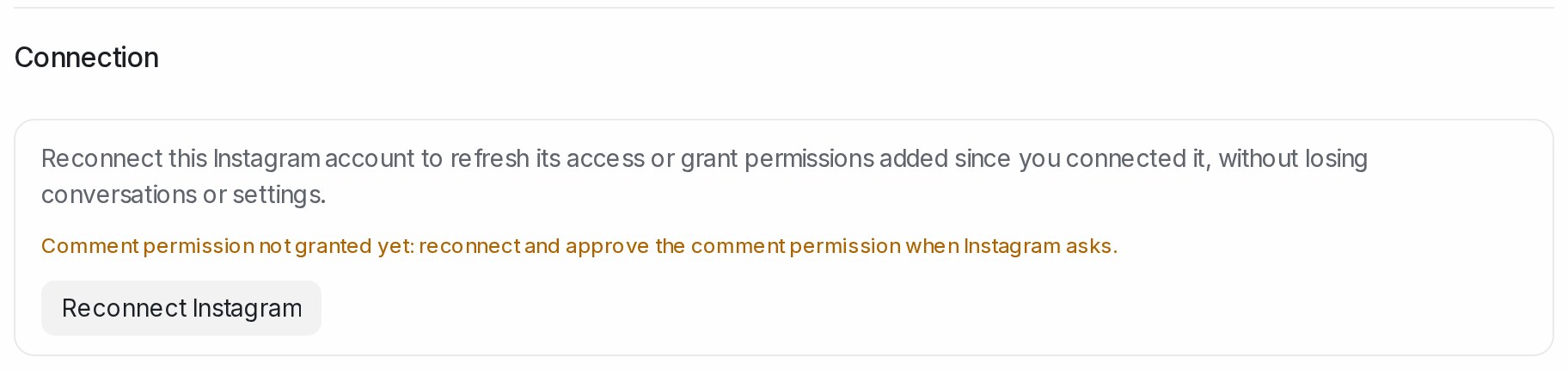
- Comment replies need Instagram’s comment permission. Open the inbox, pick the Settings tab and read the Connection section at the bottom. Comment permission granted means you are ready. Comment permission not granted yet means the inbox was connected before the permission was asked for: click Reconnect Instagram, sign in and approve the comment permission when Instagram asks. The inbox keeps its conversations, rules and settings. The Comment Replies tab shows the same reminder until the permission is granted.
1. Open Comment Replies
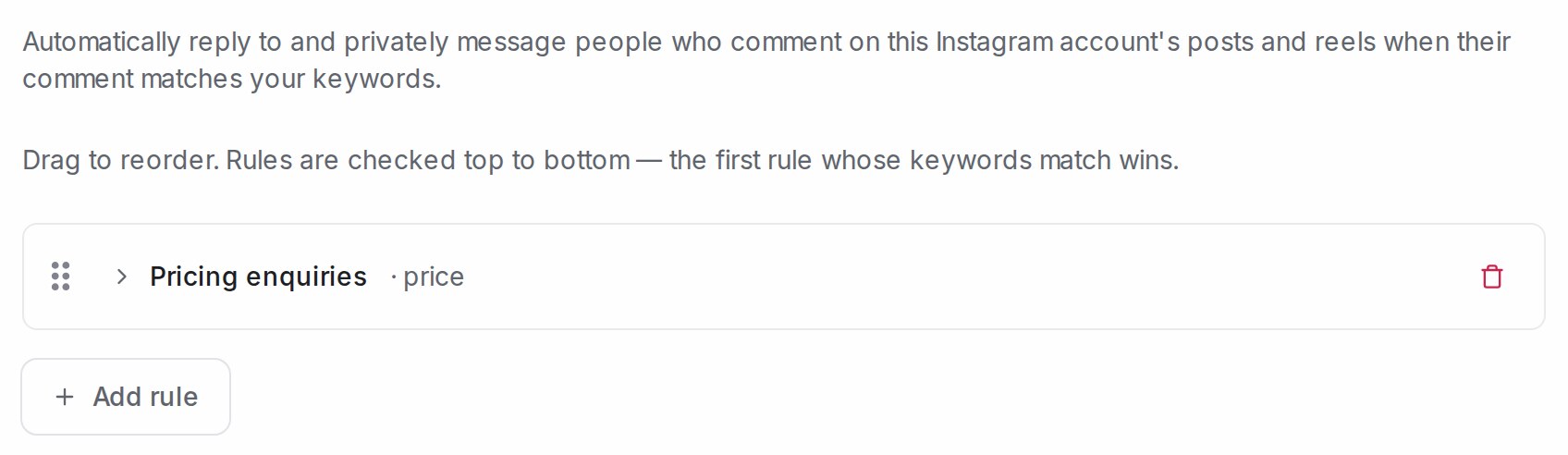
Go to Settings → Inboxes, open your Instagram inbox and pick the Comment Replies tab. The rules you have saved are listed here, each with the keywords that trigger it; if there are none yet, the page says so. Click Add rule.
2. Name the rule and choose which comments it answers
A rule decides which comments to answer and what to send. Fill in the fields from top to bottom.
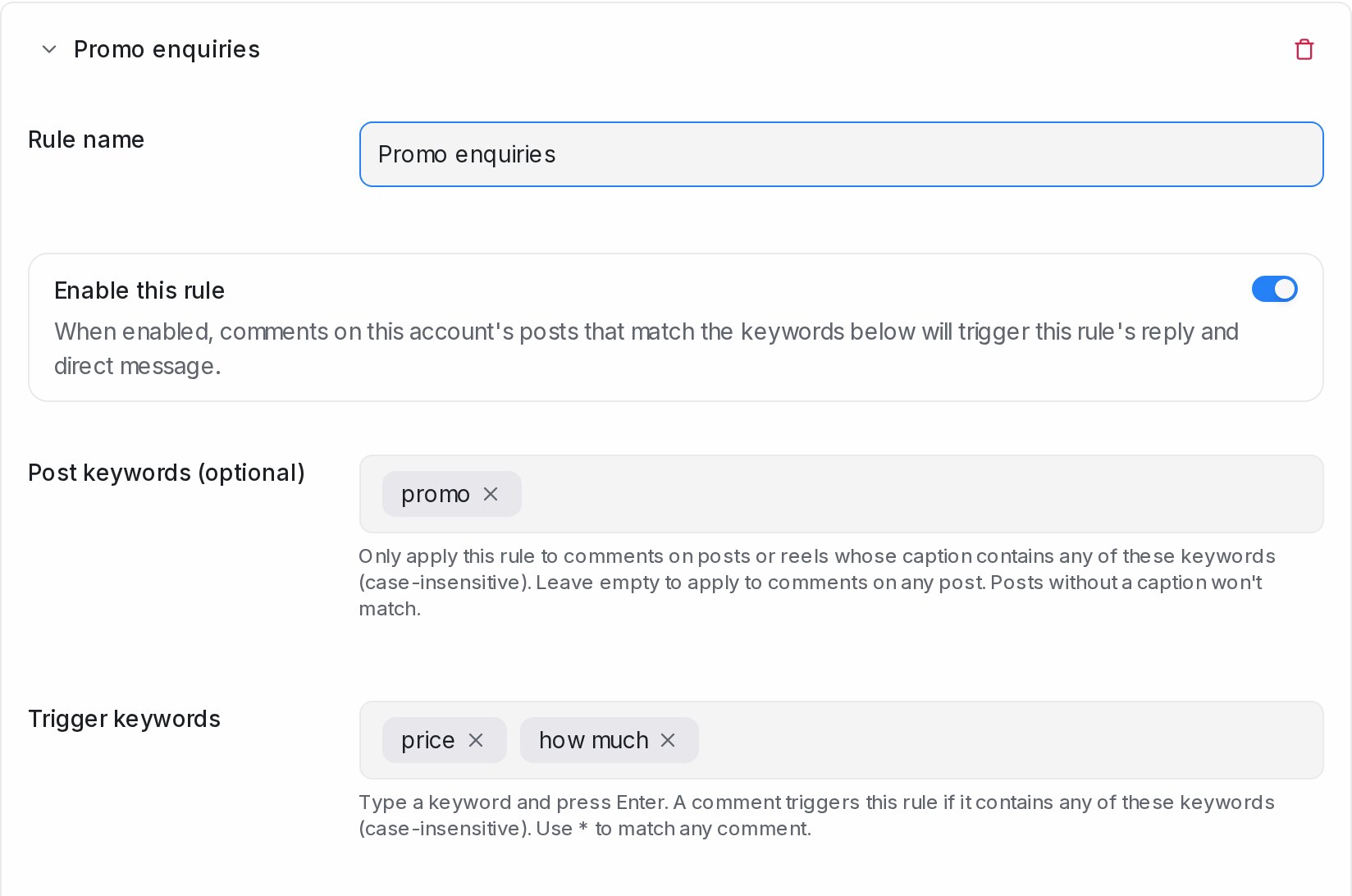
- Rule name — a name for your own reference, such as
Promo enquiries. - Enable this rule — leave it on for the rule to run. Turn it off to pause the rule without deleting it.
- Post keywords (optional) — only answer comments on posts or reels whose caption contains one of these words, for example only your promo posts. Leave it empty to answer comments on any post. Posts without a caption never match.
- Trigger keywords — type a word and press Enter. A comment triggers the rule when it contains any of these words, in any letter case. Use
*to match every comment.
3. Write the public reply and the private message
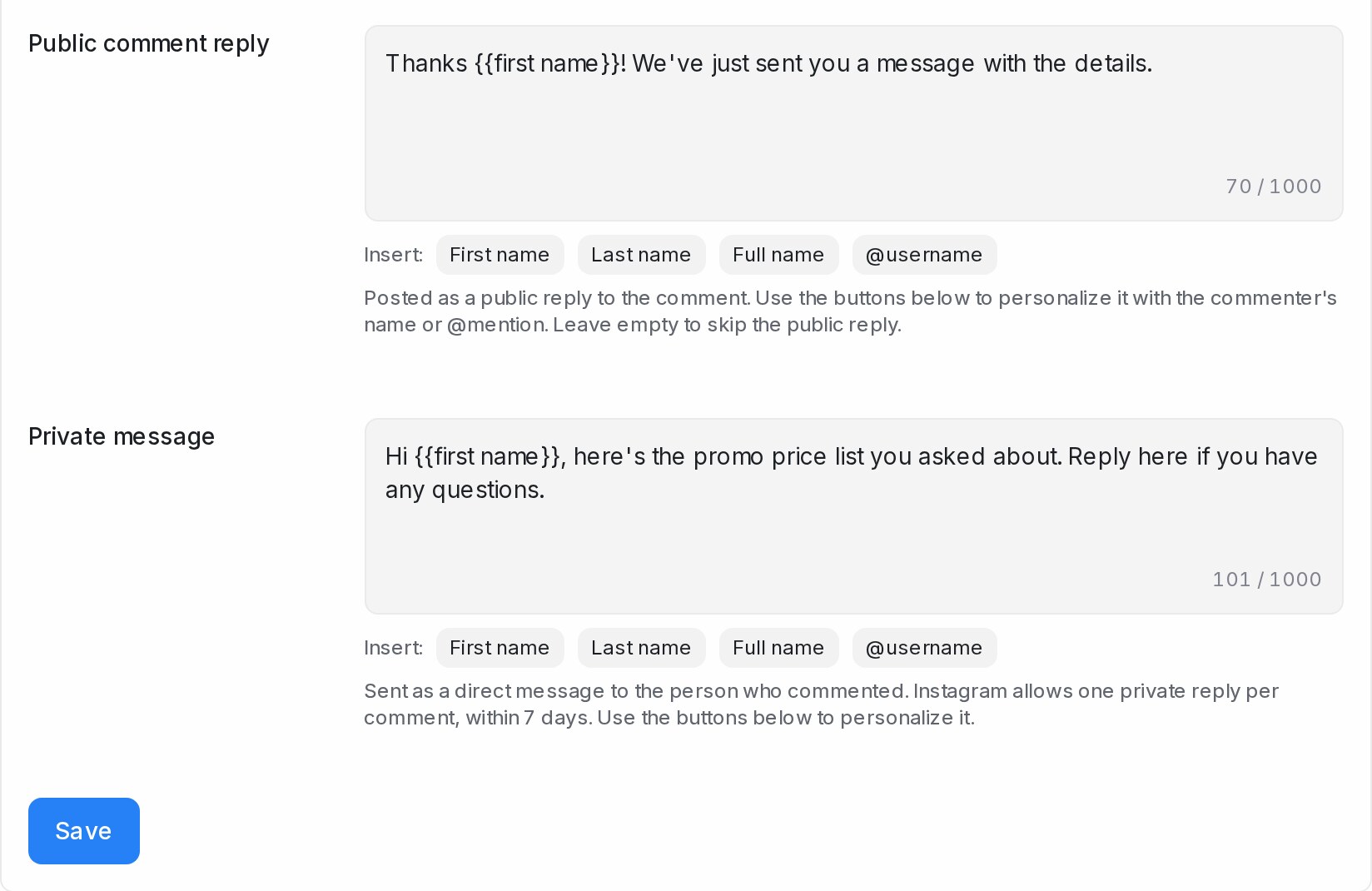
- Public comment reply — posted publicly under the comment, from your Instagram account. Use the First name, Last name, Full name and @username buttons to address the commenter. Leave it empty to skip the public reply and only send the private message.
- Private message — sent as a direct message to the person who commented. Every rule needs one. Instagram allows one private message per comment, within 7 days of the comment. The same buttons apply.
Click Save when you are done.
4. Check your rules list
Saved rules appear on the Comment Replies tab with the keywords that trigger them. Rules are checked top to bottom and the first match wins — drag them to reorder. Put your most specific rules above the general ones, so a rule using * does not answer everything before the others get a turn. Click Add rule to create more.
What happens when someone comments
- Your public reply appears under their comment, from your Instagram account.
- The customer receives your private message in their Instagram direct messages.
- The conversation lands in your Instagram inbox: the post and their comment are quoted at the top, and your private message appears as the first reply. From here your team replies as usual, or your Flow Agent takes over when the customer writes back.
- Replies under a comment, and comments from your own account, are left alone. A blocked contact’s comments get no reply and no conversation.
A few tips
- Keep public replies short and friendly, and vary the wording between rules — the same reply posted many times looks automated.
- Public replies are visible to everyone. Keep prices, order details and anything personal for the private message.
- Test a rule on your own post before using it on a live campaign — comment from another account with one of your trigger keywords and watch the conversation arrive.